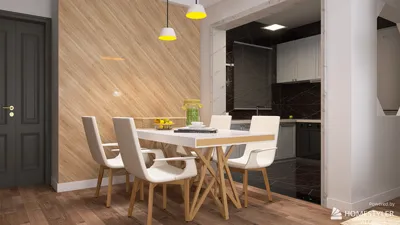


Creating three-dimensional models using Inkscape presents an interesting challenge, as it is primarily designed for two-dimensional vector graphics. Nevertheless, with a thoughtful strategy, it's possible to simulate a 3D effect or to prepare your 2D designs for a smooth transition into 3D workflows. Let’s delve into effective methods for achieving this:
Although Inkscape's capabilities for creating actual 3D models are limited, it serves as an excellent foundation for developing concept sketches and vector diagrams. As a designer myself, I frequently adopt this approach—initiating projects with accurate 2D representations before advancing into specialized 3D applications. To facilitate an effective shift from two-dimensional design to fully functional 3D layouts, utilizing platforms that incorporate integrated 3D floor planning visualization—like Homestyler—can substantially enhance your creative workflow, especially when your ultimate aim is interior spatial arrangement.
Tips 1:
When designing pseudo-3D visuals in Inkscape, it’s crucial to maintain a well-organized layering system—label each layer for effortless navigation, particularly if you anticipate exporting to intricate 3D modeling software later on. Utilize distinct colors or varying opacities to help differentiate elements during your design process.
FAQ
Q: Can Inkscape generate real 3D models?
A: No, Inkscape is solely a 2D graphics editor. However, it allows for the simulation of 3D and the preparation of vector files suitable for import into 3D modeling software.
Q: What is the method to introduce perspective in Inkscape?
A: Implement the Perspective extension (found under Extensions > Modify Path > Perspective) on your converted paths to establish depth and vanishing points.
Q: Is there any plugin available for direct export to 3D formats in Inkscape?
A: Currently, there are no native plugins for this purpose, but you can export SVG files and subsequently import them into 3D software like Blender for extrusion.
Q: What’s the optimal way to utilize Inkscape for interior design ideas?
A: Create 2D layouts, export them as SVG files, and further develop these in a 3D planner or modeling tool, such as Homestyler, for comprehensive visualization.
Q: Which 3D design platforms support Inkscape (SVG) files?
A: Numerous platforms enable vector imports—like Blender, Tinkercad, and several online 3D floor planners such as Homestyler—allow for the interpretation of SVGs from Inkscape, converting them into three-dimensional objects.
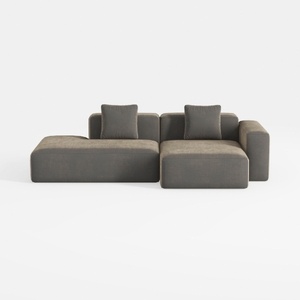
WJShome Cloud Couch Modular Sectional Sofa,102inch
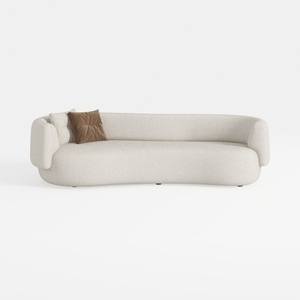
Oversized Sectional Sofa for Living Room, 106’’ Mo
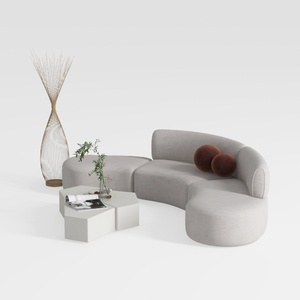
Discover Homestyler, the ultimate online home design platform! With its user-friendly design tool, stunning 3D renderings, and a wealth of DIY video tutorials, you can effortlessly transform your space. Explore endless design projects and unleash your creativity—create your dream home today!
立即免费设计
































