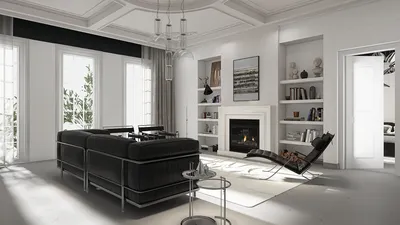


Crafting video animations using 3D models significantly enhances your storytelling, making the content not only visually captivating but also dynamic. If you are eager to learn how to realize your concepts through 3D techniques, you have come to the right place! This guide will walk you through the essential stages of developing fantastic video animations featuring 3D models.
Grasping 3D Animation Tools
The initial step in creating breathtaking 3D animations involves selecting the appropriate software. You can find numerous industry-recognized options such as Blender, Autodesk Maya, and Cinema 4D. Each of these platforms has its distinct features, so it's important to prioritize your specific requirements and skill level when picking the right one.
Are you just starting out? Blender is an excellent option as it is free and backed by a vibrant community. Conversely, Autodesk Maya is perfect for professionals seeking more sophisticated capabilities. Which software do you believe aligns best with your creative style?
Developing Your 3D Model
After you’ve chosen your animation software, the next step is to start creating your 3D model. Begin by sketching your ideas on paper. This preliminary design will serve as a roadmap for your modeling journey. Utilize the tools available in your software to construct the model's frame, ensuring you focus on its proportions and intricate details. Are you acquainted with modeling methods such as box modeling or sculpting?
Once you craft the basic outline, enhance your model by applying textures, colors, and materials. This phase is essential as it breathes life into your creation and increases its visual allure.
Animating Your Creation
With your 3D model complete, it's now time to animate it and make it come alive. You can produce animations by setting keyframes that specify the model's position at particular moments. For instance, when animating a character, establish keyframes to control actions such as walking or leaping.
Timing plays a vital role in animation. Ensure that you monitor the rhythm of movements to create a seamless experience. Would you like to explore various animation techniques, including rigging or motion capture?
Rendering Your Animation
The concluding step involves rendering your animation. This stage converts your 3D model and animations into a video file. Adjust your rendering parameters to fit your target quality and resolution. Bear in mind that opting for higher quality settings will extend rendering time.
After the rendering process, take some time to review your animation. Are there any modifications or refinements you wish to implement before release?
Final Touches: Audio and Editing
Upon completing your rendered animation, it’s time to incorporate audio, sound effects, and transitions utilizing video editing software. Aligning background music or voiceovers can significantly enhance the viewer’s experience.
What narrative do you aim to express through your animation? Ensure that your audio elements harmonize with your visuals for optimal impact.
Strategies for Success:
1. Begin with Simplicity: If you are new to 3D animation, start with straightforward models and brief animations.
2. Leverage Tutorials: Online resources can offer great guidance. Platforms like YouTube, Skillshare, or Udemy present a multitude of courses.
3. Connect with Communities: Interact with other 3D artists within forums or social media platforms, sharing tips and experiences.
Frequently Asked Questions
Blender is often suggested due to its no-cost access and extensive features.
The duration can vary greatly based on the complexity, but a basic animation could take anywhere from a few days to a week.
Absolutely! With commitment and the aid of tutorials, newcomers can acquire effective animation skills.
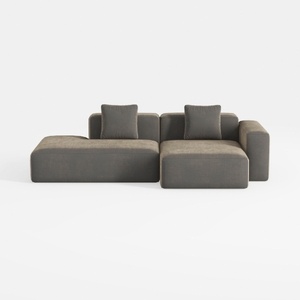
WJShome Cloud Couch Modular Sectional Sofa,102inch
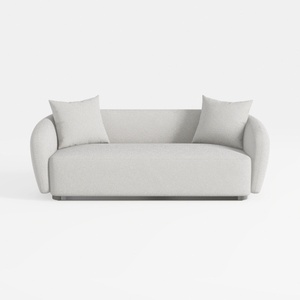
sofa_101S-SF1006-101 Stories
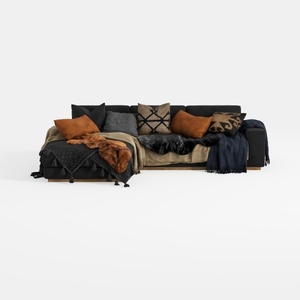
Txtin's U Shaped Sectional Couches for Living Room
Homestyler is an exceptional online home design platform perfect for anyone looking to create their dream space. With its user-friendly design tool, stunning 3D renderings, and a wealth of inspiring projects and video tutorials, you can easily transform your design ideas into reality.
立即免费设计
































