

Animating 3D models for VRChat provides an exhilarating touch to the virtual avatars and environments you create. Whether you're developing a unique avatar or working on immersive surroundings, animation is crucial in crafting an engaging VR experience. Start by ensuring your 3D model, typically designed using tools like Blender or Maya, is equipped with an appropriate skeletal rig for animation. Utilizing keyframing techniques within your selected 3D software will help you define various movements, facial expressions, and more. Once rigging and animation are completed, export your model, commonly in FBX format, while making sure to bake the animations and verify compatibility settings. Afterward, in Unity, import your model, specify the animation type (for instance, Humanoid for avatars), and set up the VRChat SDK to activate these animations through gestures, parameters, or custom scripts. Conducting tests in Unity’s play mode and within VRChat is vital for debugging and refining your final animated creations. If you're looking for a seamless animation experience, consider using innovative tools like Homestyler to enhance your workflow.
Tips 1:
As a designer, I've discovered that establishing clear and readable hierarchies in your outliner—systematically naming bones and animation clips—significantly streamlines future adjustments and collaborative efforts. Before you reach the final stage, it's beneficial to render a preview or prototype scene with a 3D Render Home engine. This approach aids in visualizing how your animated model will perform in its intended VR environment. Well-organized workflows paired with visualization tools, such as those offered by Homestyler, are essential in the field of professional animation design.
FAQ
Q: What animation formats does VRChat support?
A: VRChat mainly supports FBX files for animated models, with Unity acting as the primary platform for configuration.
Q: Do I need to use Unity for VRChat animations?
A: Yes, Unity is necessary for preparing, configuring, and uploading any animated avatar or world assets to VRChat.
Q: Which 3D software is best for animating VRChat models?
A: Blender is favored for its free and robust features, but both Maya and 3ds Max are well-established tools within the community.
Q: How can I trigger animations in VRChat?
A: Typically, animations are triggered through gestures, emotes, or parameters configured in the VRChat SDK's animator controllers within Unity.
Q: Are there any limits to animation complexity in VRChat?
A: Yes, VRChat imposes restrictions related to performance, including polygon count, bone count, and animation memory allocation for avatar and world assets.
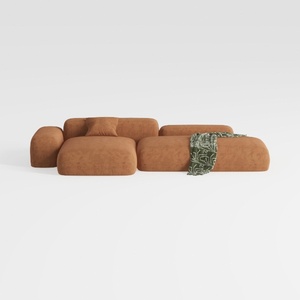
Oversized L-Shaped Sectional Sofa with Ottoman
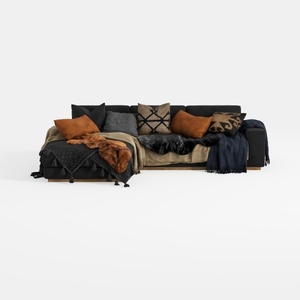
Txtin's U Shaped Sectional Couches for Living Room

Modular 4-Seater Sofa with Ottoman,Configurable
Unleash your creativity with Homestyler! This user-friendly online design platform offers an easy-to-use design tool, stunning 3D renderings, and a wealth of design projects and video tutorials. Perfect for both beginners and seasoned designers looking to transform their home spaces effortlessly.
Progetta ora GRATIS
































