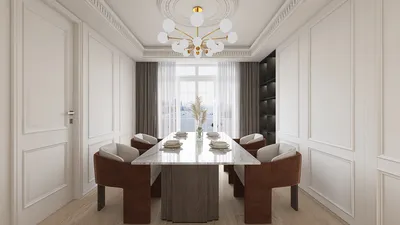


Incorporating curtains into your floor plan may initially appear to be a trivial aspect, yet it holds the power to dramatically affect both the aesthetic and practical use of a space. Whether you are crafting a snug living room or a cheerful, welcoming bedroom, mastering the incorporation of curtains into your design is vital. Start by selecting the appropriate curtain type that aligns with the theme of your room. For example, sheer curtains infuse a light and airy atmosphere, while heavier drapes introduce warmth and sophistication. Once you've established your preferred curtain style, move on to sketching them into your floor plan. Begin by pinpointing the windows in your layout. Utilize a scale ruler to accurately denote the position of each window. After that, contemplate how you'd like the curtains to drape. Will they extend just below the window sill, or should they sweep elegantly to the floor? This choice plays a significant role in how you illustrate the curtains. With a pencil, gently outline the outline of the curtains on your design, depicting them as arching lines that extend from the top of each window frame down to your desired length. Keep in mind the placement of the curtain rods, which are generally positioned four to six inches above the window frame. Moreover, pay attention to the width of your curtains; a good guideline is to make them 1.5 to 2 times the window's width for a rich, gathered appearance. After detailing the curtains, feel free to add some shading or color to give depth and prominence against the other elements in your design. Also, consider how the curtains will function; think about their movement—how they will be opened or closed, and if they might obstruct furniture or pathways. Ultimately, after sketching in the curtains, step back and evaluate how they integrate into your design. Do they complement the room's balance? Are they consistent with your envisioned style? If anything feels amiss, don’t hesitate to make modifications. Remember, interior design is fundamentally about expressing your personality and ensuring comfort. Additionally, utilizing a tool like Homestyler can greatly simplify the visualization process, enabling you to bring your creative ideas to life more effectively.
Tips 1:
For an enhanced drawing experience, consider utilizing design software such as Homestyler. This platform offers a vast library of furniture and decor items that help you visualize your concepts clearly and effectively.
FAQ
Q: Can I use design software to create depictions of curtains? A: Certainly! Many design applications, including Homestyler, enable you to seamlessly integrate curtains and other design features directly into your floor plan.
Q: What advantages do curtains provide when added to a floor plan? A: Curtains can enhance privacy, regulate light levels, and contribute a decorative element to your interiors.
Welcome to Homestyler!
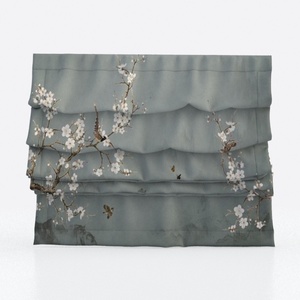



Homestyler is your go-to online platform for effortless home design. With its user-friendly design tool and stunning 3D renderings, you can visualize your ideas like never before. Explore numerous design projects and enhance your skills with helpful DIY video tutorials—perfect for any design enthusiast!
Design Now for FREE
































