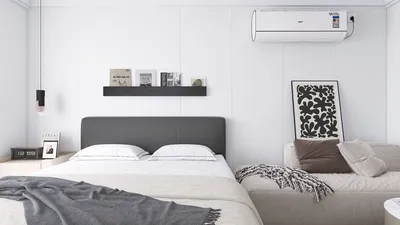


Have you ever attempted to take a photo or shoot a video, only to see the lighting unexpectedly change? This frustrating experience often stems from your camera’s automatic exposure or white balance adjustments. Although these features aim to enhance your images under different conditions, they can frequently compromise the consistency needed for content creation or interior photography. To maintain consistent lighting, it's essential to understand how to disable these automatic settings.
Here are some effective strategies to ensure your photos and videos maintain consistent lighting:
As a designer, I consider these steps vital for accurately capturing spaces, particularly when developing portfolios or highlighting a specific ambiance. To facilitate more advanced preparations, particularly when staging and photographing interiors, utilizing professional tools like Homestyler to pre-plan your 3D render home elements can enhance your control over the final outcome.
Tips 1:
Make it a point to thoroughly review your camera’s manual to uncover all available manual controls. Practicing in manual mode not only helps avoid automatic lighting changes but also cultivates a more robust vision for your photography—something that every designer will value.
FAQ
Q: Why does my camera adjust brightness automatically?
A: Many cameras and smartphones are programmed to automatically modify exposure settings to ensure images are well-lit across various scenarios. Turning off auto exposure (AE) or utilizing manual controls can help you avoid this issue.
Q: How can I lock exposure on my iPhone or Android device?
A: On iPhones, simply tap and hold on your subject until you see the “AE/AF Lock” indicator. For Android, switch to the Pro or Manual mode in your camera app and set your exposure values manually.
Q: Is it possible to set a custom white balance on a smartphone?
A: Many high-end smartphones include a Pro or Manual mode that allows you to adjust the white balance manually. Be sure to check your default camera app for these features.
Q: Will using a ring light or other external lights stop automatic lighting adjustments?
A: While strong and consistent light sources can help reduce abrupt changes in lighting, for optimal results, it's still advisable to rely on manual camera settings.
Q: What advantages does manual camera control provide for interior photography?
A: Utilizing manual controls ensures your photos authentically represent color and lighting, which is essential for accurately showcasing design projects or decor.
Looking to transform your home? Homestyler is your go-to online design platform! With its user-friendly design tool and stunning 3D renderings, you can easily create your dream space. Plus, explore a wealth of design projects and DIY video tutorials to inspire your creativity.
تصميم الآن مجانا
































