

Embarking on the journey of automotive 3D modeling is an exhilarating experience for both novices and experienced designers looking to delve into vehicle creation. Essentially, automotive 3D modeling consists of crafting intricate, digital representations of automobiles for purposes like prototyping, visualization, or animation. This journey typically commences with grasping the fundamental principles of vehicle design along with getting acquainted with notable 3D modeling software such as Blender, Autodesk Maya, or 3ds Max. For beginners, it's essential to procure accurate reference images of the vehicle you intend to model, emphasizing blueprints and various views—side, front, and top—to ensure proper proportions.
After obtaining your references, the next step is to outline the main forms—the chassis, wheels, and glass—utilizing the basic modeling tools offered within your software of choice. Gradually, you will refine these shapes, adding intricacies and complexity as you grow more adept. Successful modeling relies on a blend of technical accuracy and an eye for aesthetics, thus regularly reviewing your work from multiple perspectives, alongside your references, is crucial. Utilizing realistic materials and lighting during texturing and rendering will breathe life into your creation, whether your objective is to produce a static image or an animated sequence.
As an interior designer, I often see the parallels between automotive and architectural modeling. Both disciplines demand a keen sense of form, proportion, and ergonomics. If you possess a background in designing interiors or products, your knowledge of volume, composition, and user interaction will greatly enhance your approach. I frequently turn to design-specific software that simplifies visualization and fosters quick iterations. For example, integrating a 3D rendering platform such as Homestyler can significantly enhance your workflow—these applications provide user-friendly interfaces and extensive libraries, potentially inspiring more effective modeling practices in the automotive sector as well.
Tip 1:
Begin with simple designs: opt for a vehicle that features basic shapes—like a hatchback—as you familiarize yourself with the software basics before progressing to more intricate sports cars or classic models. Grasping edge flow (the direction indicators that govern polygon alignment along surfaces) is crucial for achieving smooth and realistic curves. Also, never underestimate the importance of high-resolution reference images—they are foundational to creating an accurate model.
FAQ
Q: What software is best for automotive 3D modeling beginners?
A: Blender stands out as a widely-used free tool, whereas Autodesk Maya and 3ds Max are recognized as industry standards for professionals.
Q: Why are reference images so vital in automotive modeling?
A: Reference images are essential in maintaining correct proportions and accurately capturing the vehicle’s details.
Q: Is mechanical knowledge of cars necessary to model them?
A: While it's not a strict requirement, having a fundamental knowledge of car components can enhance the authenticity and logic of your models.
Q: What distinguishes hard surface modeling from organic modeling in automotive design?
A: Automotive modeling predominantly encompasses hard surface modeling, focused on sharp, defined shapes, contrasting with the softer, flowing forms of organic modeling.
Q: As a beginner, how long will it take to model a car in 3D?
A: Depending on the complexity of the design and your familiarity with the software, you might spend anywhere from a few days to several weeks on your initial complete model.
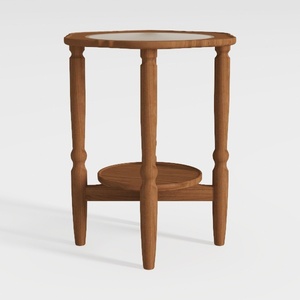

HOOBRO Small Round Side Table with Charging

Shuweienphant Farmhouse Bathroom Wall Art Flower
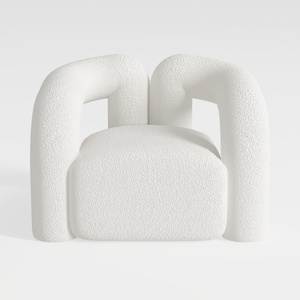
Darian Cream Modern Boucle Fabric Upholstered Acce
Homestyler is your go-to online home design platform, perfect for bringing your vision to life! With its user-friendly design tool, stunning 3D renderings, inspiring design projects, and helpful DIY video tutorials, transforming your space has never been easier or more enjoyable.
Design Now for FREE
































