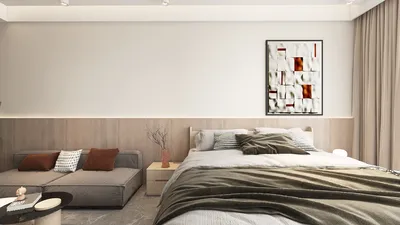


Creating a bungalow floor plan using AutoCAD 3D can be an incredibly fulfilling journey, allowing you to transform your ideas into a detailed design. Whether you are a budding architect or a home improvement enthusiast, mastering this software will significantly boost your designing prowess. In this guide, we’ll cover essential techniques and suggestions to help you craft an impressive bungalow floor plan in AutoCAD 3D while integrating tools like Homestyler for a comprehensive experience.
Key Features of Bungalow Architecture
Before you start working in AutoCAD 3D, it's important to know the fundamental characteristics of bungalow architecture. Bungalows generally feature a single-story design, spacious open layouts, and inviting outdoor areas. Familiarity with these elements will aid in your conceptualization as you begin your drawing. Opting for a soft, warm color scheme can further enhance the inviting nature of your project.
Configuring AutoCAD for Three-Dimensional Design
Launch AutoCAD and prepare your workspace for 3D modeling by selecting the appropriate 3D option from the menu. This configuration provides access to all essential tools needed to create three-dimensional structures. Remember to adjust your unit settings to suit the measurements applicable for your bungalow.
Drafting Your Bungalow Layout
Start your design by outlining the layout of the bungalow with the Line Tool and Rectangle Tool. Designate areas for the living room, bedrooms, kitchen, and bathrooms while ensuring that proportions and dimensions are accurate. You can incorporate details such as windows and doors at a later stage in the modeling process.
Incorporating 3D Features into Your Bungalow Plan
With your floor plan established, it’s now time to advance into 3D modeling. Utilize the Extrude Tool to raise your walls and apply the Roof Tool to create a suitable overhead structure. Don’t hesitate to experiment with various materials and textures to give your bungalow character. Remember, details are crucial! Enrich your design by adding furniture and fixtures for an appealing visual effect.
Visualizing Your Bungalow Creation
Once you complete the 3D model, it’s time to render it for lifelike visualization. This stage may require adding lighting effects and shadows to demonstrate your design’s dimensionality. Rendering assists in understanding how your bungalow will appear in reality, allowing you to make any final tweaks before concluding your project.
Common Questions About Designing Bungalow Floor Plans in AutoCAD 3D
Got more inquiries regarding your floor plan creation? Don't hesitate to delve into additional resources or connect with the design community for tips and guidance! Many find great value in using platforms like Homestyler for collaborative design support.
Feel free to Explore a Free 3D Floor Planner
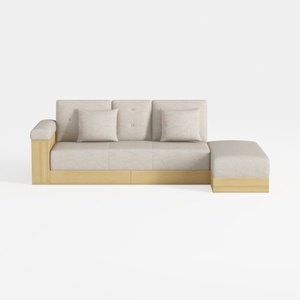
Sofa 84.65" Convertible Sofa Bed with Storage Otto
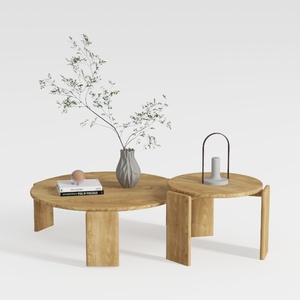
RUSTOWN 2-Piece Round Farmhouse Coffee Table
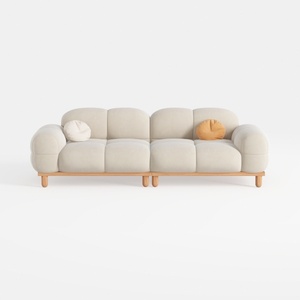

SSC SATISUNCASA 88.58" Modern Curved Sofa Couch, J
Discover your interior design potential with Homestyler! This user-friendly online design tool offers stunning 3D renderings, inspiring design projects, and helpful DIY video tutorials, making it easy for anyone to create their dream space. Dive in and let your creativity shine!
Дизайн сейчас бесплатно
































