

In the current digital landscape, mastering 3D modeling with Homestyler can greatly enhance your design endeavors while streamlining your creative workflow. This extensive guide will outline the crucial steps and techniques required to embark on your 3D modeling journey in Photoshop, ensuring that your projects feature unique and visually appealing elements.
Exploring the 3D Workspace in Photoshop
To begin your adventure into 3D modeling, open Photoshop and enable the 3D workspace. Go to Window > Workspace > 3D to access the necessary panels designed for 3D editing. This dedicated workspace will allow you to manage your 3D layers, execute essential actions, and adjust key settings to achieve your desired effects. Have you determined which type of 3D project excites your creativity the most?
Transforming 2D Layers into 3D Objects
One highly effective way to utilize 3D modeling in Photoshop is by converting your 2D layers into striking 3D objects. Begin by selecting the layer you wish to transform and go to 3D > New 3D Extrusion from Selected Layer. You can modify the extrusion depth and experiment with different bevel options to enhance the visual quality of your model. Which 2D elements are you excited to elevate into stunning 3D objects?
Incorporating Textures and Materials
The application of textures plays a crucial role in adding depth and realism to your 3D models. After selecting your 3D object, explore the material options available. Here, you can choose colors, textures, and intricate patterns from Photoshop's extensive libraries. Selecting the right texture can transform your model from plain to exceptional. What textures align with your creative vision?
Illuminating and Rendering Your Model
Effective lighting is vital for achieving a photorealistic appearance in 3D modeling. Make use of the 3D panel to adjust your lighting setup to enhance your model’s overall aesthetic. Once you're content with your modifications, proceed to render your creation by selecting 3D > Render 3D Layer. This step will bring your design to life. How do you plan to light your scene?
Saving Your 3D Model for Future Use
After completing your 3D masterpiece, it's time to export it for use in other projects. Navigate to File > Export > Export 3D Layer and choose your desired format for export. What innovative projects do you envision integrating your newly crafted 3D model into?
Frequently Asked Questions
A: While Photoshop is excellent for basic 3D modeling tasks, more complex designs may require the capabilities of dedicated 3D software solutions for optimal results.
A: A variety of projects, such as product designs, marketing materials, and creative art pieces, can greatly benefit from the 3D modeling features available in Photoshop.
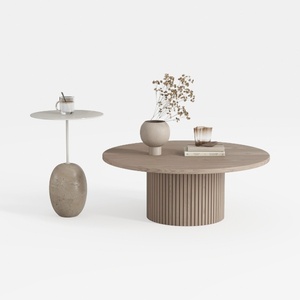

Minimalist Solid Wood Round Coffee Table and Stone Side Table Set 3D Model

Modern Marble Top Solid Wood Console Table With Decorative Accents 3D Model

Rustic Solid Oak Square Coffee Table with Geometric Inlay Pattern 3D Model
Homestyler is your go-to online home design platform, perfect for turning your decor dreams into reality. With a user-friendly design tool, stunning 3D renderings, a variety of inspiring design projects, and helpful DIY video tutorials, creating your ideal space has never been easier!
تصميم الآن مجانا
































