

Krita is a robust, open-source software geared towards painting and illustration, particularly focused on 2D artistry. Presently, it does not offer native capabilities for viewing or editing 3D models directly. For those aspiring to integrate 3D elements into their artwork, alternative approaches are necessary. For instance, external applications such as Blender can be employed to render 3D models, which can then be imported into Krita as reference images or layers for further artistic enhancement. While Krita includes a perspective assistant tool that aids in drawing objects with depth, it lacks a dedicated 3D viewport. Therefore, if your artistic process demands a blend of 3D and painting, consider exporting your model renders as PNG or JPEG files for compositing or painting within Krita.
Suggestions for Improvement:
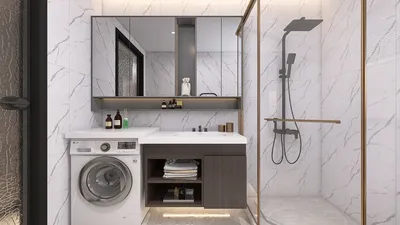
As a designer, I often advocate the use of specialized 3D visualization tools in tandem with Krita to streamline creative workflows. If you're interested in rapidly testing layouts or exploring reference angles for your interior designs, a dedicated 3D floor planner can produce intricate room models that you can screenshot or render for application in Krita. This method effectively connects the essential 3D environment with the powerful painting functionalities of Krita, enhancing your overall design process.
Frequently Asked Questions
Q: Can Krita open 3D model formats such as OBJ or FBX?
A: Unfortunately, Krita does not support the import of 3D file formats. It’s advisable to utilize external 3D software and subsequently import your rendered images into Krita.
Q: How can I incorporate 3D models as references within Krita?
A: Render your 3D models using software like Blender, then export them as images to import into Krita as layers for reference or painting.
Q: Is there a plugin available for 3D model viewing in Krita?
A: At this time, there are no official plugins or add-ons that facilitate the viewing or editing of 3D models directly inside Krita.
Q: What is the best approach for 2D artists to work with 3D models?
A: Use 3D software for positioning or layout purposes, and then export the resulting images for painting or refinement in Krita.
Q: Why should designers blend Krita with 3D tools?
A: Integrating Krita’s versatile painting capabilities with accurate 3D models allows artists to create more realistic perspectives, optimize lighting, and accelerate iteration processes in concept design and visualization efforts.



Homestyler is an exceptional online platform for anyone looking to design their ideal home. It features an easy-to-use design tool, stunning 3D rendering options, a variety of design projects, and helpful DIY video tutorials, making your home design journey exciting and accessible!
지금 무료로 디자인하세요
































