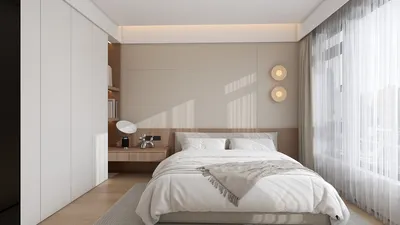


Are you eager to elevate your Blender projects with breathtaking 3D models? Integrating downloaded 3D models is a simple task, and I’m here to help you navigate the process!
To start, ensure that your 3D models come in a format compatible with Blender. Common formats supported by Blender include .obj, .fbx, .stl, and .blend. Once you’ve verified the format of your downloaded model, follow these easy steps:
Integrating 3D Models into Blender
1. Launch Blender and either create a new project or open an existing project where you wish to add your model.
2. Head to the top left of Blender and click on the File menu.
3. From the dropdown menu, select Import and choose the file type that corresponds to your downloaded model.
4. Locate the file on your computer where the 3D model is saved. Click on the model file to highlight it, then click Import.
5. After importing, you might need to adjust the scale, orientation, or placement of your model within the 3D viewport to ensure it fits seamlessly into your scene.
Advice for Enhancing Your 3D Models
• After importing, always inspect the model's textures and materials. You may need to reconnect or modify them in the Shader Editor.
• If you face visibility issues with the model, consider toggling between Solid and Material Preview modes in Blender.
• Organize your models using the Outliner feature. Rename each imported model to keep your workspace organized.
Now that you’ve successfully integrated your 3D models into Blender, what's your impression of the process? What types of models are you excited to import for your next project? Feel free to share your thoughts in the comments below!
Frequently Asked Questions
Q: What is the optimal file format for 3D models in Blender? A: The .obj and .fbx formats are preferable, as they tend to maintain textures and materials effectively.
Q: Is it possible to import several models simultaneously? A: Absolutely! You can select multiple files during the import process to incorporate them all at once.



Looking to transform your space? Homestyler is your go-to online platform for home design! With an easy-to-use design tool, stunning 3D renderings, and a wealth of DIY video tutorials, you can effortlessly bring your dream home to life. Start designing today!
Diseño ahora GRATIS
































