

Incorporating 3D models in VTube Studio provides content creators with a powerful means to enhance their livestreams and videos through vibrant and customizable avatars. While the platform primarily accommodates Live2D models, many users are looking for 3D options to gain more versatility and depth. The integration of 3D avatars allows for dynamic body movements and more engaging character interactions, especially in settings that require intricate gestures and varying camera angles. To utilize 3D models, creators might explore external solutions such as plugins based on Unity or software bridges that link with VTube Studio, though direct support for 3D models is not yet available. This process typically involves creating your 3D avatar in software like Blender or VRoid Studio, exporting it in a suitable format, and linking it to VTube Studio using virtual camera setups or OSC protocols. Proper attention to rigging, textures, and expressiveness is critical to ensure the resulting avatar is visually captivating and responsive to inputs like facial tracking and gesture recognition.
Tips 1:
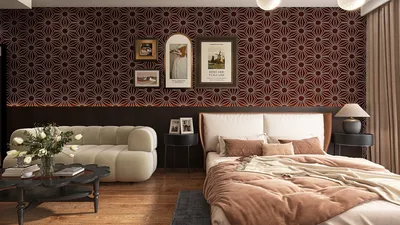
As a designer, I often contemplate how virtual environments, avatars, and digital settings embody a creator’s distinct style while fostering an engaging atmosphere. If you are looking to build immersive backgrounds that complement your 3D avatar in VTube Studio, utilizing intricate interiors can significantly enhance the overall scene and ambiance. Tools specifically designed for room modeling, especially those that support 3D render home creation, enable you to craft visually stunning backdrops that seamlessly integrate your digital persona with customized environments through Homestyler, enhancing the viewer experience.
FAQ
Q: Does VTube Studio support 3D models natively?
A: VTube Studio primarily supports Live2D models. While there are workarounds available, native support for 3D models is currently absent.
Q: How can I integrate 3D avatars in VTube Studio?
A: You can utilize third-party plugins or OSC bridges to connect 3D avatars from applications like Blender or VRoid Studio into VTube Studio.
Q: Are there limitations to using 3D avatars in VTube Studio?
A: Yes, the methods for integration may result in less fluid expression tracking and can be technically more complex compared to Live2D models.
Q: Which tools are commonly used to create 3D avatars?
A: Commonly used tools include Blender, VRoid Studio, and Unity for the tasks of modeling, rigging, and animation.
Q: How can I create a more immersive streaming space for my avatar?
A: Custom virtual backgrounds and rooms can be designed using specialized interior modeling tools, enhancing your streaming presentation significantly.


Homestyler is your go-to online home design platform, offering a user-friendly design tool that brings your ideas to life. Explore stunning 3D renderings, numerous design projects, and engaging DIY video tutorials. It's perfect for anyone looking to create a beautiful and functional space effortlessly.
Diseño ahora GRATIS
































