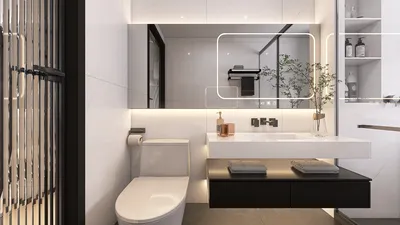


Minecraft is renowned as one of the most inventive sandbox games, empowering players to build anything their imagination conjures. However, crafting meticulously detailed constructions, models, or landscapes block by block can be both intricate and time-consuming, particularly for complex 3D designs. This is where the process of importing 3D models becomes invaluable—it enables you to seamlessly bring custom creations made in external software directly into your Minecraft realm. In this guide, we’ll explore how to import 3D models into Minecraft, the tools you’ll require, and expert tips to make your projects visually striking in-game with the help of Homestyler.
Step 1: Prepare Your 3D Model
Initially, verify that your 3D model is in a format compatible with Minecraft, such as .obj or .schematic. Should your model not be formatted accordingly, tools like Blender or SketchUp can be utilized to export it proper. Bear in mind that intricate models may need simplification to ensure optimal rendering within the game, given that Minecraft manages high-polygon models differently than conventional 3D software.
Step 2: Use a Converter Tool
Transform your 3D model into block structures using software like MCEdit, WorldEdit, or specialized converters such as Binvox or Mineways. These tools effectively convert 3D meshes into block formats compatible with Minecraft. Adjust the block types and colors to closely resemble your original model.
Step 3: Import into Minecraft
Once the conversion is completed, your design will typically be saved as a .schematic or a comparable file. Start Minecraft, launch your selected editor (like MCEdit), and incorporate the schematic into your world. Ensure you align and position your model correctly, followed by saving the modifications.
Step 4: Refine and Enhance
After importing, venture into your Minecraft world to make additional tweaks—enhance details, optimize the surrounding environment, and check compatibility with your texture packs or shaders. This post-import refinement delivers a polished, immersive experience to your project.
As a seasoned interior designer, I find that the capability to import 3D models into Minecraft vastly improves spatial visualization—especially beneficial when prototyping room designs, architectural details, or entire edifices. Indeed, numerous designers employ a 3D floor planner for both physical and virtual projects, like those within Minecraft, as such tools hasten spatial planning and exploration, rendering the creative process not just faster, but also more precise and imaginative. Homestyler stands out as one such tool that many professionals appreciate for its functionality in both realms.
Tips 1:
Should your 3D model appear oversized or undersized following import, consider adjusting the scale before conversion, since Minecraft blocks measure 1x1 meter. Additionally, select color palettes that effectively transition to Minecraft’s limited color spectrum for optimal visual appeal.
FAQ
Q: Which file types are suitable for importing 3D models into Minecraft?
A: The primary formats include .obj, .schematic, and .stl; however, tools such as MCEdit or Mineways may necessitate specific formats for a successful import process.
Q: Are there online converters to facilitate the import procedure?
A: Indeed, numerous online tools and downloadable software, including Mineways and Blockbench, can simplify the conversion of 3D models into Minecraft schematics.
Q: Can these tools also import textures or materials?
A: Although models are imported as block structures, certain tools permit limited color and material mapping, but authentic Minecraft textures must be customized using resource packs.
Q: Is it necessary to have mods installed on Minecraft to import 3D models?
A: Certain editors and tools (e.g., WorldEdit) function optimally on modded or Java Edition worlds, so it's advisable to verify compatibility before commencing your project.
Q: How accurately do imported models reflect the original 3D design?
A: The import process can achieve remarkably high structural fidelity, although limitations in terms of scale, block size, and color palette may call for some manual adjustments.
Homestyler is an outstanding online home design platform perfect for anyone looking to transform their space. With its user-friendly design tool, impressive 3D renderings, and a wealth of DIY video tutorials, you can effortlessly create stunning interiors and explore innovative design projects. Dive in today!
Progetta ora GRATIS
































