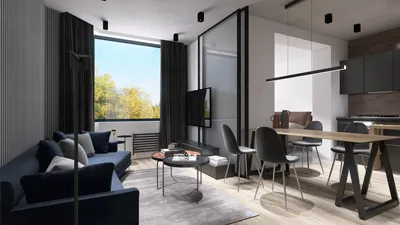


Importing 3D models into Blender 2016 is a straightforward process that is accessible to everyone. To begin, it's essential to confirm the correct file format since not all files are compatible with Blender. The most commonly used formats include .obj, .fbx, and .3ds.
Upon opening Blender 2016, you will notice a default cube in the scene. If you wish to maintain a tidy workspace, it's a good idea to remove this default cube. Simply click on it and press the “Delete” key to remove it from the scene.
Next, navigate to the top menu bar and click on the “File” option. From the dropdown menu, select “Import”. Here, you will find a list of file formats that Blender can import. Choose the format that corresponds to your model.
A Step-by-Step Guide to Importing 3D Models in Blender 2016
1. After selecting “Import”, locate the desired 3D model file on your computer. Once you've identified it, click to select it.
2. Now, click the “Import” button located at the top right of the file browser. Your model will be added to the Blender scene, typically positioned at the origin (0,0,0).
3. After the import, you may want to adjust the model's size or location. This can be done using the scale and move options available in the left tool panel.
Why Choose Blender? A Designer's Perspective
Blender is an excellent tool for designers, renowned for its versatility and robust features. Its ability to easily import 3D models allows for seamless integration of your favorite designs or assets into any project. When utilizing additional features such as texturing, lighting, and rendering, you can truly maximize its capabilities.
Frequently Asked Questions (FAQ)
Q: What file formats does Blender 2016 support? A: Blender 2016 supports various formats, including .obj, .fbx, .3ds, and .dae.
Q: Can I import multiple models in one go? A: Yes, you can import several models in a single operation, provided they are packaged in the same file format.
Q: What should I do if my model isn't importing correctly? A: Verify if the file format is supported, ensure the model isn’t corrupted, and check for any specific import settings required for that format.
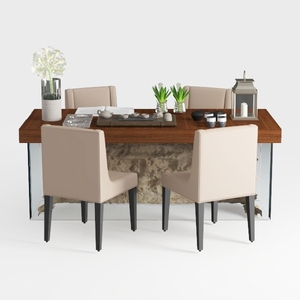
Modern Solid Wood Glass Upholstered Fabric Dining Table Set 3D Model

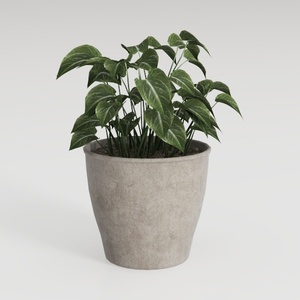
Minimalist Concrete Planter Pot with Indoor Greenery 3D Model
Homestyler is your go-to online home design platform! With its user-friendly design tool, stunning 3D renderings, and a treasure trove of DIY video tutorials, you can effortlessly create and visualize your dream spaces. Transform your home design experience today!
Diseño ahora GRATIS
































