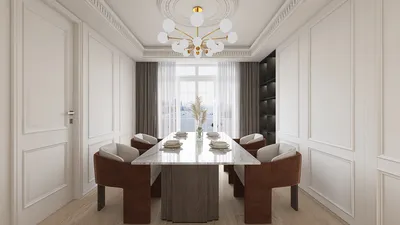


Transforming a PDF into a format that can be rendered online is an excellent strategy to enhance the interactivity, accessibility, and visual appeal of your content. PDFs tend to be static, restricting user engagement. However, by converting them into web-compatible formats, you can significantly improve the user experience while introducing the possibility of dynamic visuals and layout personalization. Whether you're looking to display architectural designs, interior layouts, or portfolios, here’s how to smoothly convert your PDF files into formats that can be interacted with online while incorporating tools like Homestyler.
Initially, you need to determine the type of output you require. Are you in search of a basic online viewer, or do you prefer a more interactive platform that supports design and collaboration? If you simply want to display your PDFs, tools like Google Drive, Adobe Document Cloud, or PDF.js can help you embed your PDFs directly into your website. However, for those looking to convert static PDFs—like floor plans or design blueprints—into interactive, editable formats, specialized solutions are essential. Consider using Homestyler for an innovative approach to your design needs.
One efficient workflow involves the following steps:
As a designer, I often encounter the challenge of turning my clients' static PDFs into interactive online assets. This is particularly important for projects such as 3D floor planning, which not only creates dynamic presentations but also enables clients to engage with the design before construction begins. Employing such workflows not only modernizes communication with clients but also streamlines the review process for design iterations, making tools like Homestyler invaluable in the process.
Tip 1:
To achieve optimal results, always begin with a high-resolution PDF and utilize reliable conversion tools. If your PDF contains layers (from software such as AutoCAD), converting it to SVG or DXF formats will retain these layers for future editing in online platforms. When reconstructing in an online design tool, it’s crucial to pay close attention to scale and measurements to maintain accuracy in relation to your original designs.
Frequently Asked Questions (FAQ)
Q: Is it possible to make my interior design PDF interactive for clients to engage with?
A: Absolutely! By converting your PDF into a format compatible with online floor planner tools like Homestyler, you can incorporate features such as movable furniture, color adjustments, and interactive walkthroughs.
Q: What’s the easiest way to embed a PDF online for rendering purposes?
A: You can utilize Google Drive or PDF.js to embed your PDF as a viewer on your website. For enhanced interaction, consider converting it to 3D or editable formats using design-focused platforms such as Homestyler.
Q: Are there any free options for converting PDFs suitable for online rendering?
A: Yes! Tools like Zamzar or PDF2Go can manage basic conversions. Additionally, platforms like Homestyler offer freemium features to convert plans into interactive web models.
Q: How can I guarantee that my converted design maintains the correct scale?
A: Begin by exporting your PDF with vector data (like SVG or DXF) and adjust the scale within your online planning tool based on real-world dimensions.
Q: Which formats are optimal for rendering interior design projects on the web?
A: SVG, DXF, and high-resolution images (such as JPG or PNG) are ideal formats for editable design uploads. Meanwhile, 3D planning tools often accept either proprietary or industry-standard CAD file formats.

Modern Black Oak Arched Glass Display Cabinet 3D Model
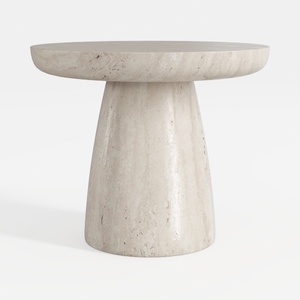
Minimalist Travertine Round Side Table 3D Model
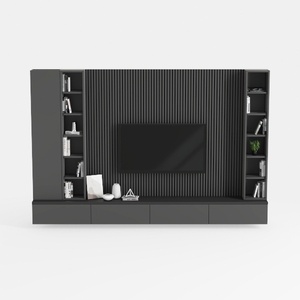
Modern Minimalist Black Solid Wood TV Wall Cabinet With Storage Shelves 3D Model
If you're looking to transform your living space, Homestyler is the go-to online design platform! With its user-friendly design tool, stunning 3D renderings, and a wealth of design projects and DIY video tutorials, you can easily create your dream home, regardless of your experience level.
Design Now for FREE
































