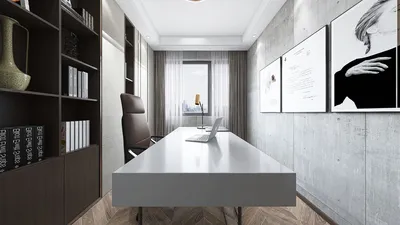


Modeling a dodecahedron in 3D is an exciting venture, whether you're a student, hobbyist, or a professional designer. This polyhedron features twelve flat faces, each shaped like a pentagon, exemplifying mathematical beauty. Here's a comprehensive guide on how to create a dodecahedron, drawing from my background as an interior designer experienced in 3D modeling software and the application of geometric shapes in spatial design.
1. Select Your 3D Modeling Software: Begin by choosing a program that facilitates geometric design. Software such as Blender, SketchUp, Tinkercad, or specialized interior design applications equipped with 3D functionalities are excellent options. Even newcomers will find many of these programs provide intuitive interfaces and built-in templates.
2. Grasp the Geometry: A standard dodecahedron consists of 12 pentagonal faces, 20 vertices, and 30 edges. Keeping a reference diagram close will aid you in maintaining mathematical accuracy throughout your modeling process.
3. Build the Base Structure: Within your selected software, look for primitive shapes; some may feature polyhedral templates that include the dodecahedron. If you can't find one, start by creating a pentagonal face, then utilize rotational and duplication tools to arrange each face accurately, ensuring every edge aligns perfectly.
4. Employ Alignment Features: Make use of vertex snapping, edge alignment, and measurement tools to guarantee geometric accuracy. This step is vital for crafting a precise model, particularly if you intend to 3D print or render your design for visualization purposes.
5. Experiment with Finishes and Textures: Once your model is complete, you can experiment with different materials, colors, or levels of transparency to conceptualize how it integrates into interiors as decorative elements, lighting fixtures, or modular furniture. As an interior designer, I frequently incorporate geometric 3D shapes like dodecahedrons to enhance the visual appeal of projects, focusing on patterns, depth, and light interplay.
For those looking to simplify this process and visualize various geometric structures within realistic interiors, utilizing a comprehensive 3D rendering tool can be groundbreaking. Such tools allow users to import, modify, and render geometric models within lifelike interior environments, enabling both enthusiasts and professionals to appreciate the real-world impact of their designs with tools like Homestyler.
Tips 1:
Think about blending geometric shapes like dodecahedrons with contrasting forms in your room designs. This strategy accentuates the distinctiveness of every shape, making your spaces more engaging. Including high-quality rendered geometric models in presentations can significantly enhance your design proposals.
FAQ
Q: Which software is recommended for creating a dodecahedron 3D model?
A: Blender, SketchUp, and Tinkercad are among the most popular options. Many interior design software suites also feature tools for creating polyhedra.
Q: Is it possible to 3D print a dodecahedron made in these applications?
A: Absolutely, just ensure that you export your model in an .STL or .OBJ file format suitable for 3D printing.
Q: How can I effectively incorporate a dodecahedron into my interior design?
A: Dodecahedrons can function as decorative items, pendant lights, or modular art installations that introduce an intriguing geometric aspect to any room.
Q: Are there tools that allow me to visualize a dodecahedron within a realistic interior setting?
A: Yes, advanced tools like 3D rendering software enable you to view your geometric models within customizable room settings, including options like Homestyler.
Q: What are the best practices for ensuring accuracy when creating complex shapes like a dodecahedron?
A: Utilize snap, grid, and measurement functions within your software, and refer to geometric documentation to uphold accuracy in your designs.



Discover your home’s potential with Homestyler, a user-friendly online design platform. Enjoy a robust design tool, stunning 3D renderings, a wealth of design projects, and helpful DIY video tutorials. Transform your vision into reality effortlessly—your dream space is just a click away!
Progetta ora GRATIS
































