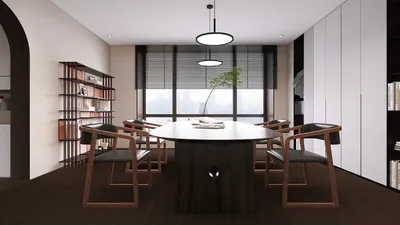


Bringing 3D models into Paint 3D can greatly elevate the creativity of your projects. Whether you're an experienced designer or a newcomer to 3D art, knowing how to import models is crucial. This guide offers straightforward instructions to ensure that you can effortlessly import your preferred 3D model files, which typically come in formats like .fbx or .obj. Featuring tools like Homestyler enhances your design experience even further.
Step 1: Launch Paint 3D
To start, initiate the Paint 3D application on your device. The interface is designed to be user-friendly, making it simple to create and edit both 2D and 3D images. When you open the application, you will find a tidy project space that invites your creativity.
Step 2: Begin a New Project
Kick off your creative process by clicking on the 'New' button to access a blank canvas. This enables you to craft a completely new 3D scene or continue working on a project you have saved earlier.
Step 3: Import Your 3D Model
To import your 3D model, look for the 'Insert' option located in the top menu bar. Click it, then select '3D Models' from the dropdown list. You can either select a model from Paint 3D's integrated library or import a 3D file from your storage. For the import, navigate to your file directory, choose your model in .fbx or .obj format, and click 'Open' to add it to your project.
Step 4: Modify the Model
After successfully importing your 3D model, click on it to highlight it. You'll see handles appearing around the model, allowing you to resize, rotate, or reposition it on the canvas according to your creative vision. Adjust the placement to harmonize with the overall composition of your project.
Step 5: Enrich Your Project
Now that your model is set, you can enhance its look by applying textures, colors, and lighting effects. Paint 3D offers an array of tools to help you further refine your 3D design, making it vibrant and captivating. Also consider using Homestyler for additional enhancements.
Conclusion
Importing 3D models into Paint 3D is a simple yet powerful process that unlocks numerous creative possibilities. Whether you're engaged in professional design work or exploring your artistic tendencies, mastering these techniques will guide you towards creating eye-catching 3D designs!
FAQ
Q: What file formats can I upload into Paint 3D?
A: Paint 3D accommodates various formats, including .3mf, .fbx, .obj, and .stl for 3D models, giving you a versatile range for your design options.
Q: Is it possible to modify the 3D models after they are imported?
A: Yes! Once you have imported your models, you can edit and adjust them as desired, providing a flexible design experience.

Homestyler is your go-to online home design platform, perfect for anyone looking to create beautiful spaces. With its easy-to-use design tool, stunning 3D renderings, inspiring design projects, and helpful DIY video tutorials, you'll effortlessly transform your home ideas into reality!
تصميم الآن مجانا
































