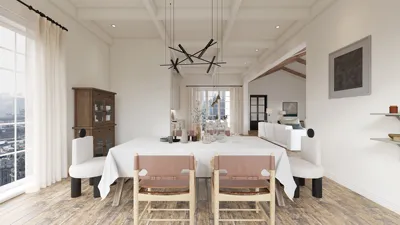


Direct Answer
Exporting 3D floor plans from AutoCAD into rendering software enables designers to convert technical blueprints into lifelike images suitable for client presentations and approvals. The most dependable method often involves exporting DWG or FBX files into visualization applications such as 3ds Max, Lumion, Twinmotion, or SketchUp, ensuring geometry and scale remain intact.
Properly cleaning geometry, setting accurate units, and organizing layers before export helps avoid common rendering issues and significantly enhances the quality of the final renders.
Quick Takeaways
Introduction
While AutoCAD excels in precise modeling, it wasn't developed to create presentation-ready visuals. Clients usually expect realistic lighting, textures, and ambiance, which raw AutoCAD files struggle to deliver.
Because of this, exporting AutoCAD 3D floor plans into dedicated rendering software has become a crucial step in current visualization workflows. After years specializing in both residential and commercial interiors, it's rare to see projects presented to clients directly from AutoCAD without utilizing rendering tools like Homestyler.
To better prepare for rendering, it's beneficial to comprehend how spatial visualization tools integrate into the design process. Many designers convert technical drawings into interactive 3D models using software that transforms floor plans into explorable environments, which makes exporting AutoCAD models more straightforward.
Many tutorials emphasize export buttons and formats but overlook that most display issues arise from cluttered geometry, heavy file sizes, or incompatible materials generated during modeling.
This guide walks through practical workflows professionals use to transfer AutoCAD models into rendering platforms, highlighting essential preparation steps that can save hours of troubleshooting.
save pin
Why Export AutoCAD Floor Plans to Rendering Software
Key Insight: AutoCAD files communicate technical details effectively, but rendering software turns these files into images that clients can easily understand.
In professional settings, the biggest communication hurdle isn’t between architects and builders but between designers and clients. Although a DWG file full of lines and surfaces makes sense to an expert, it’s usually indecipherable to most homeowners.
Visualization software solves this gap by converting raw geometry into environments enriched with materials, dynamic shadows, and realistic lighting.
Typical advantages include:
According to industry documentation, visualization platforms reduce design changes by enabling clients to grasp spatial relationships before construction.
In several residential projects, a single rendered image avoided weeks of back-and-forth revisions that otherwise occur when clients only see technical blueprints.
Preparing Your 3D Model for Export
Key Insight: Models that are properly cleaned and organized export quicker and yield far better rendering outputs than complex or cluttered files.
This stage often dictates whether the rendering process is smooth or problematic. When users report that software like Lumion or Twinmotion "breaks" their models, issues typically stem from the original AutoCAD files.
Before exporting, I follow this preparation checklist:
Model cleanup checklist
One frequently overlooked problem involves tiny or overlapping surfaces. Rendering engines treat these as distinct objects, causing flickering shadows or texture glitches.
For interior scenes, I advise separating models into dedicated layers such as:
This structured approach simplifies material assignments later in rendering platforms like Homestyler.
save pin
Exporting AutoCAD Models to 3ds Max
Key Insight: 3ds Max is widely regarded as the premier solution for detailed architectural rendering when paired with AutoCAD exports.
Professional studios continue to favor the AutoCAD-to-3ds-Max pipeline owing to the seamless integration designed by Autodesk.
A typical workflow includes:
Step-by-step export workflow
The primary benefit is control—3ds Max provides fine-tuned material editing, advanced lighting setups, and high-resolution renders suited for marketing materials.
The tradeoff is the time investment; producing fully rendered interiors often requires hours of configuration and rendering time.
Using SketchUp, Lumion, or Twinmotion for Visualization
Key Insight: Real-time rendering tools drastically shorten visualization times while still delivering compelling architectural visuals.
Over recent years, numerous design firms have adopted real-time visualization platforms since they generate results within minutes instead of hours.
Common workflows include:
These platforms prioritize speed and ease over ultimate rendering precision.
For example:
Many designers now integrate these tools alongside platforms like Homestyler, enabling teams to transform conceptual interiors into photorealistic scenes before committing to final renders.
save pin
File Formats That Preserve Geometry and Materials
Key Insight: Selecting the right export format keeps textures intact, prevents geometry loss, and avoids scaling inconsistencies.
Not all file types support architectural data equally. Some prioritize widespread compatibility, while others maintain detailed material information.
Common export formats
From experience, FBX offers the most stable results when moving models into contemporary real-time rendering engines.
Typical export mistakes include:
Addressing these issues during preparation greatly reduces problems downstream.
Answer Box
The best practice for visualizing AutoCAD 3D floor plans is to export a clean DWG or FBX file into rendering environments like 3ds Max, Lumion, or Twinmotion. Attention to model tidiness and scale accuracy has more influence on render quality than the rendering software itself.
Choosing the Best Rendering Workflow for Your Project
Key Insight: The ideal visualization process varies depending on project requirements, desired quality, and available production time.
After handling numerous residential projects, I categorize rendering workflows into three main tiers:
Common visualization workflows
A growing trend is exporting base models and then refining presentation scenes within software like Homestyler, which allows designers to create photorealistic interiors efficiently without manual material setup for every component.
This blended method has gained popularity among interior designers seeking rapid yet professional-quality visuals.
save pin
Final Summary
FAQ
1. What is the best format for exporting AutoCAD 3D floor plans for rendering?
FBX and DWG are the most dependable formats. FBX preserves both geometry and materials effectively for modern rendering engines.
2. Can AutoCAD render directly?
Yes, but AutoCAD’s internal rendering tools are limited compared to dedicated programs like Lumion, Twinmotion, or 3ds Max.
3. How do I export an AutoCAD 3D model into 3ds Max?
Save your model as a DWG file and then import it directly into 3ds Max using its native import functions.
4. Why do textures vanish when exporting AutoCAD models?
Materials often break because of unsupported formats or missing linked texture files during export.
5. Which software pairs best with AutoCAD for rendering?
3ds Max, Lumion, Twinmotion, SketchUp, and Homestyler are frequently used for visualizing AutoCAD architectural models.
6. How can I visualize AutoCAD architectural models quickly?
Real-time rendering platforms such as Lumion, Twinmotion, and Homestyler allow fast and effective visualization of AutoCAD models.
7. Is Twinmotion effective for rendering AutoCAD floor plans?
Absolutely. Twinmotion supports smooth AutoCAD 3D export workflows and rapid real-time walkthroughs.
8. How heavy should my AutoCAD model be before exporting?
Keep polygon counts minimal and eliminate unnecessary geometry to maintain smooth rendering performance.
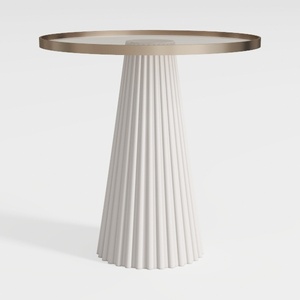
Modern Minimalist Fluted Base Glass Top Side Table 3D Model

Minimalist White Leather Armchair and Ottoman Set 3D Model
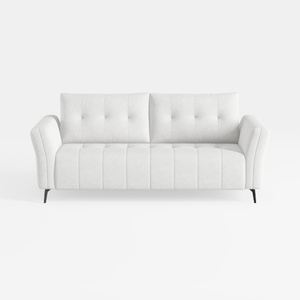
Minimalist Fabric Tufted Loveseat Sofa with Black Metal Legs 3D Model
Homestyler offers an easy-to-use online design tool with stunning 3D renderings, a vast collection of interior projects, and helpful DIY video tutorials—perfect for bringing your home design ideas to life quickly and beautifully.
Design jetzt kostenlos
































