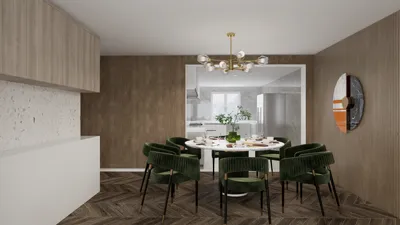


If you're a fan of interior design, you might be familiar with how user-friendly Homestyler is, along with its robust features for creating stunning spaces. A significant aspect that many users seek is the ability to export their beautifully crafted floor plans. By exporting, you can share your creations with clients or friends, or simply save them for personal reference. In this guide, we will explore how to efficiently export your floor plans using Homestyler, ensuring your hard work is recognized.
Exploring Export Options in Homestyler
Homestyler provides a variety of export options, which allows you to obtain your floor plans in several formats. You can choose to export to images, PDFs, or even 3D models. Each format offers unique benefits based on your requirements. For example, exporting as an image is excellent for presentations, while a PDF provides a polished appearance for documentation purposes.
Guidelines for Exporting Floor Plans
To successfully export your floor plan using Homestyler, follow these straightforward steps: First, make sure your design is finalized and ready for export. Next, navigate to the 'File' menu, select 'Export', and choose the format that suits your needs. If you decide on an image, you can pick the resolution and file format (such as PNG or JPEG). For PDFs, just follow the prompts to complete your export. Remember to save your progress in Homestyler before finishing the export process!
Enhancing Your Exported Floor Plans
To guarantee that your exported floor plans are visually appealing, keep these tips in mind: Use a high resolution for images to prevent any pixelation. When generating a PDF, ensure that your layout is organized and includes labels for every room. Additionally, maintain a cohesive color palette to boost the overall visual impact. By adhering to these recommendations, your exported designs will undoubtedly impress viewers.
Get Involved with Your Creations
Have you encountered any difficulties while exporting your floor plans? What advice would you offer to fellow users? We invite you to share your insights below!
Frequently Asked Questions
1. Is it possible to export my floor plan as a 3D model? Yes, Homestyler allows you to export your designs as 3D models in various formats, including OBJ.
2. What should I do if my exported image appears pixelated? Make sure to select a high resolution when exporting images to eliminate any pixelation.
Welcome to the Free 3D Floor Planner with Homestyler!

Discover the joy of home design with Homestyler! This user-friendly platform offers a powerful online design tool, stunning 3D renderings, and a wealth of DIY video tutorials. Whether you're a beginner or an expert, Homestyler makes it easy to create your dream space effortlessly.
Progetta ora GRATIS
































