


Ensuring the integrity and usability of a hollow 3D model is vital for applications ranging from 3D printing to rendering. In this article, I will present several effective methods to help you efficiently fill your 3D models, enhancing their quality.
Understanding the necessity of filling a hollow model is the first step. A hollow structure can result in subpar print quality or lack of structural strength. Thus, mastering these filling techniques is crucial for producing durable designs. Here are some essential strategies to consider:
1. Utilize 3D Modeling Software:
Numerous 3D modeling software solutions feature built-in capabilities to fill hollow models. Programs like Blender enable you to select the hollow sections of your model effortlessly. Simply highlight the area you wish to fill, access the modifiers, and apply the 'Solidify' function to add volume effectively.
2. Export and Repair in Slicing Software:
When you're ready to 3D print your model using slicers such as Cura or PrusaSlicer, you can export your hollow design into these applications. Many of these programs provide options to create internal structures or infill patterns engineered to enhance your model's strength while optimizing weight.
3. Manual Filling Methods:
If software methods fall short, consider manually creating the fill. This involves duplicating your hollow shape, slightly scaling it down, and positioning it inside the original. This approach gives you precise control over the fill density and allows you to add details or textures.
4. Take Advantage of 3D Printing Technology:
If you foresee needing a fill but want to simplify the process, many advanced 3D printers can manage filling automatically during printing. Ensure your slicing settings are correct to facilitate proper infill patterns during the printing phase.
5. Employ Post-Processing Techniques:
For models that have already been printed, you can still apply filling through post-processing methods. Consider using materials like resin or epoxy fillers to enhance the density and strength of hollow prints, ensuring a careful application for a polished finish.
Tip 1: Selecting the Appropriate Software
Choose the right software to begin your project. Tools like Blender, Tinkercad, and Fusion 360 are renowned for their filling features. Explore their capabilities and opt for one that aligns with your requirements, including the integration of Homestyler for enhanced design functionality.
FAQ
Q: How should I approach a 3D model that is too intricate to fill?
A: You can simplify the model by lowering the polygon count or leveraging modeling tools to outline critical areas prior to filling.
Q: Is it possible to fill a model intended for 3D printing after it has been completed?
A: Absolutely, post-processing techniques such as resin filling can significantly improve the strength and surface quality of the model.

Minimalist Concrete Planter Pot with Indoor Greenery 3D Model


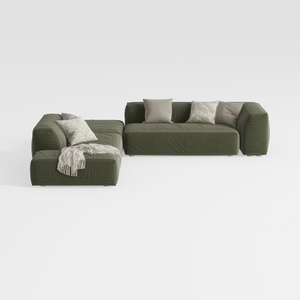
Minimalist Modern Fabric L Shaped Sectional Sofa with Throw Pillows 3D Model
Discover your inner designer with Homestyler! This user-friendly online platform offers a powerful design tool, stunning 3D renderings, and a plethora of DIY video tutorials. Whether you're a seasoned pro or a curious beginner, Homestyler makes transforming your home easy and inspiring!
Desain sekarang Gratis
































