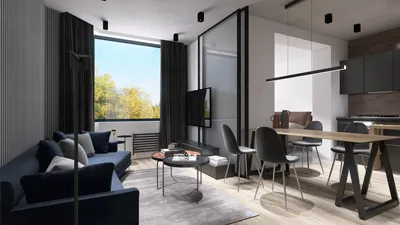


Are you eager to incorporate a 3D model into Unity? While this task may appear intimidating, you can easily have your model ready for integration by following a few straightforward steps.
Understanding Compatible 3D Model Formats
The first thing to consider when importing a 3D model into Unity is knowing which formats are compatible with the platform. Unity accepts various file types, including FBX, OBJ, and DAE, with FBX being the most popular due to its extensive features such as mesh data, animations, and other necessary materials.
Step-by-Step Guide to Import Your 3D Model
To successfully import your 3D model into Unity, you can follow these easy steps:
Prepare Your 3D Model Correctly: Make sure your model is well-designed and exported using the appropriate format. If you are utilizing tools like Blender or Maya, you can directly export your model as an FBX file.
Launch Unity: Open your existing Unity project, or start a new one if necessary.
Import the Model: Simply drag and drop your 3D model file into the ‘Assets’ folder within the Unity Editor.
Adjust Import Settings: After importing, select your model to fine-tune its import settings such as scale, rigging, and animations in the Inspector panel.
Add the Model to Your Scene: Drag the model from the ‘Assets’ folder into your scene to see how it fits into your project.
Common Challenges When Importing 3D Models
While importing 3D models into Unity can present some hurdles, common difficulties include distorted meshes and missing textures. To address these issues:
FAQ
Q: What is the optimal 3D model format for use with Unity? A: The FBX format is highly recommended for Unity as it accommodates all critical features including animations.
Q: Is it possible to import animated models into Unity? A: Absolutely! Just ensure that your animations are baked into the model prior to exporting it from your 3D modeling application.
Q: How can I resolve texture problems in Unity? A: Confirm that the textures are correctly imported into Unity, and reapply them to the materials associated with your model for proper visualization.

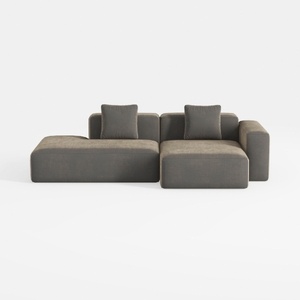
WJShome Cloud Couch Modular Sectional Sofa,102inch
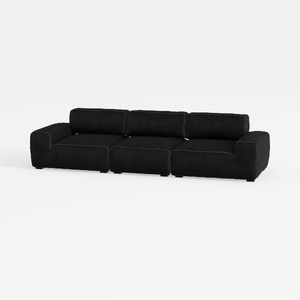

Meridian Furniture 141Black-S4 Indulge Collection
Homestyler is an outstanding online home design platform perfect for all skill levels. With its user-friendly design tool, stunning 3D renderings, diverse design projects, and helpful video tutorials, you can effortlessly create and visualize your dream spaces. Transform your home design ideas into reality with ease!
تصميم الآن مجانا
































