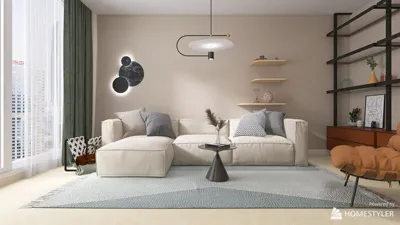


Are you eager to enhance your interior design projects with stunning 3D models? If so, you're in the right spot! In this article, we'll guide you through the straightforward process of downloading your 3D designs using Homestyler, a powerful tool for all your modeling needs. Let's explore the limitless possibilities of 3D design together!To begin, ensure you have an active account with Homestyler. If you haven’t signed up yet, it’s a quick and simple process. Head over to their official website and register for a free account to get started. Once logged in, you will have access to your projects as well as a vast array of design elements available in their library.Next, either create a new project or open an existing one that you want to download in 3D format. Homestyler boasts an intuitive interface that makes designing your space a breeze. Take advantage of the drag-and-drop functionality to arrange furniture, walls, and decorations in your virtual layout. Make sure everything meets your expectations before moving on to the download step.Once your design is finished, it's time to download your 3D creation. Look for the export or download option, typically found in the project menu. Click on this option, and you’ll be presented with various formats to choose from. Select the 3D format best suited for your requirements, whether for professional presentations or personal projects.After selecting your preferred format, follow the on-screen instructions to finalize the download process. Depending on how complex your design is and your internet speed, this may take some time, so hang tight!Once the download is complete, check your computer's downloads folder to find your 3D file. Open it using compatible software to admire your design in full detail. You can also share it with clients or friends who appreciate your design prowess.It's important to note that Homestyler offers different subscription tiers, some of which may include advanced export options. If you find yourself restricted by the free account, consider upgrading for additional features and greater flexibility in your downloads.To sum up, downloading 3D models from Homestyler is a simple endeavor involving account creation, project design, and choosing the right download options. With these easy steps, you can effortlessly share your designs and inspire creativity in others!Happy designing!Tips: 1. Always remember to save your project before downloading to avoid losing any valuable progress!FAQ1. Can I download 3D models for free? Yes, Homestyler provides free downloads, albeit with certain limitations. Check their plans for more features.2. What formats can I download my 3D designs in? You have the option to download in various formats like JPG, PNG, or specific 3D file types depending on your chosen subscription.3. How can I view my downloaded 3D design? Use compatible software to view 3D models or import them into other design applications for further editing.
welcome to Homestyler
Originally incubated at Autodesk, Homestyler has grown into one of the most widely adopted home design platforms in the world, now trusted by over 20 million users. Whether you're a homeowner exploring ideas or a professional designer delivering client-ready renders, Homestyler brings industry-leading 3D technology to your fingertips — no experience required.
Looking to redesign your space? Homestyler is your go-to online home design platform! Its easy-to-use design tool, stunning 3D renderings, and a wealth of DIY video tutorials empower you to create your dream home effortlessly. Unleash your creativity today!
Desain sekarang Gratis
































