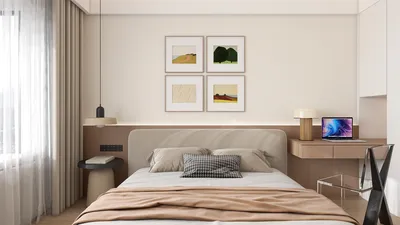


Enhancing your design projects can be easily achieved by downloading 3D models, and leveraging a dependable 3D model viewer streamlines this task significantly. In this article, I will guide you through the process of effectively downloading 3D models and integrating them into your project seamlessly, with a special mention of the Homestyler platform.
What is a 3D Model Viewer?
Before we jump into the download process, it’s crucial to understand the function of a 3D model viewer. This type of software is specifically designed to view, edit, and download 3D model files. There are various tools available, each with distinct features. Prominent options among them include Sketchfab, TurboSquid, and Homestyler.
These viewers typically allow for the exploration of products within a virtual space, enabling the user to interact from different angles and, in some cases, customize models before downloading. This interactive feature significantly improves your understanding of how different models can perform in real-world applications.
How to Download 3D Models:
To download 3D models with ease, follow these steps:
Choose a reliable 3D model viewer that suits your needs. I recommend Homestyler for its extensive selection and intuitive interface, which makes the process smoother.
Use the search feature to find models by name, category, or relevant keywords. It’s essential to verify licensing details to avoid any copyright issues.
Once you find a model that piques your interest, click on it to view detailed information. Some viewers may offer options for tweaking features like colors and textures prior to downloading.
Locate the download button, usually emphasized on the page. Click it and follow any additional instructions, which may include creating an account or logging in. Make sure to select the correct file format (like OBJ, FBX, or STL) according to your project's requirements.
After successfully downloading, open your preferred design software (for example, Blender or AutoCAD) and import the new 3D model. You're now ready to start designing!
Common Challenges and Solutions:
Though the downloading process is typically uncomplicated, you might encounter some common issues. Here are a few challenges along with their solutions:
Make sure your design software is compatible with the file format of the model you've downloaded. If it’s not compatible, consider using online conversion tools to achieve the required format.
At times, the quality of models may not meet your expectations. Always preview the model in the viewer before you decide to download.
Frequently Asked Questions
Q: Is it possible to download 3D models for free? A: Absolutely, numerous platforms, including Homestyler, offer free downloads, but always check the licensing agreements to ensure compliance with usage terms.
Q: What should I do if my downloaded model fails to open? A: Verify that your design software supports the file format; if not, consider converting the model to a compatible one.




Homestyler is your go-to online home design platform! Featuring an easy-to-use design tool, stunning 3D renderings, diverse design projects, and helpful DIY video tutorials, it empowers you to create your dream space with confidence and creativity—perfect for all skill levels!
تصميم الآن مجانا
































