

Creating a 3D shark model can be an engaging project for students, enthusiasts, or those passionate about marine biology and digital art. Whether it's for academic work, a 3D printing endeavor, or as part of an interior design concept, this comprehensive guide outlines the key steps involved. Let's delve into the process and discover how leveraging a designer's insight can enhance both the journey and the final output.
Step 1: Collect Reference Materials
Begin by gathering high-resolution images and diagrams of various shark species. Look for images from multiple perspectives—side, top, and frontal views—to ensure anatomical precision. You might explore types such as the Great White, Hammerhead, or Whale shark based on the project's requirements.
Step 2: Select Your 3D Design Software
Some of the widely used 3D modeling applications are Blender, Autodesk Maya, and Tinkercad. For novices, Blender is an excellent choice as it's free and highly adaptable. Download your preferred software and spend some time getting acquainted with its navigation, modeling, and rendering capabilities.
Step 3: Start with Basic Shapes
Construct the shark's body using basic geometric shapes such as cylinders or spheres. Utilize scaling and extrusion techniques to morph the shape into the characteristic streamlined profile of a shark. Segment the body into manageable components: head, torso, fins, and tail.
Step 4: Fine-Tune the Anatomy
Craft the fins by extruding them from the main body mesh and adjusting their shapes according to your references. Pay particular attention to details on the dorsal, pectoral, and caudal fins. Employ sculpting tools to enhance features like the mouth, eyes, and gills for more lifelike realism.
Step 5: Apply Texture and Color
Unwrap the mesh’s UVs and generate textures using painting tools, or import images that represent skin patterns. Generally, sharks showcase a lighter belly and a darker top, so blending gradients effectively will provide authenticity.
Step 6: Render and Export Your Work
Configure lighting and camera settings in your software to produce realistic images of your shark model. Don’t forget to export your file in an appropriate format (like STL or OBJ) for sharing or 3D printing purposes.
Designer’s Insight: Enhancing with Homestyler for Interior Visualization
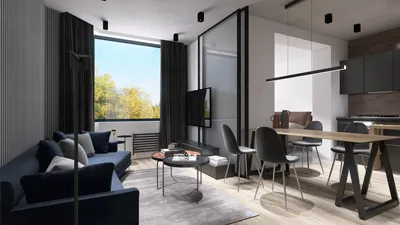
As a designer, I always contemplate how a 3D shark model integrates into a broader setting, such as a themed space or educational display. If your model is meant to enhance a decorative or interactive setting, utilizing tools like Homestyler enables you to envision how the shark fits in with other interior features and lighting arrangements. This approach not only enhances realism but also ensures that your project harmonizes effortlessly with the surrounding environment—a core principle in design.
Pro Tip:
Play around with scale—consider positioning your shark model in a virtual marine-themed area as a focal piece or complementary detail. Modify textures and lighting so that the shark seamlessly integrates into its environment, balancing scientific accuracy with visual appeal.
Frequently Asked Questions
Q: What software is best for constructing a 3D shark model?
A: Blender is an ideal recommendation for beginners due to its free access and comprehensive modeling features, whereas Maya provides advanced functionalities for seasoned designers.
Q: Is it possible to 3D print my shark model?
A: Definitely! Ensure you export your model as an STL or OBJ file, and check that it’s watertight to guarantee successful 3D printing.
Q: How can I make my shark model appear more realistic?
A: Pay attention to intricate anatomy, maintain correct proportionality, use realistic textures, and employ effective lighting during the rendering phase.
Q: Is UV unwrapping essential before texturing?
A: Yes, UV unwrapping is crucial as it facilitates seamless and realistic texture mapping onto the model.
Q: Can 3D shark models be incorporated into interior design projects?
A: Certainly! By incorporating your shark model into a rendered environment, such as through Homestyler, you can visualize its decorative influence and optimal placement prior to real-world implementation.

Discover the joy of home design with Homestyler! This user-friendly online platform offers powerful design tools, stunning 3D renderings, and a wealth of DIY video tutorials, making it easy for anyone to create their dream space. Unleash your creativity and transform your home effortlessly!
Progetta ora GRATIS
































