


Creating a 3D representation of the Roman Colosseum is an engaging educational venture for both architecture lovers and casual hobbyists. This celebrated structure, known for its complex design and historical importance, offers a satisfying challenge, whether you are crafting with materials, utilizing software, or leveraging state-of-the-art 3D modeling applications like Homestyler. Here’s a comprehensive guide to launch your project ensuring your model is both accurate and visually stunning.
Step 1: Research and Collect References
Start by examining detailed illustrations, photographs, and architectural plans of the Colosseum. Seek out blueprints or cross-sectional views online to grasp its architectural features, particularly the elliptical configuration and tiered seating arrangement. Keeping high-resolution images from various perspectives will be beneficial as you build your model.
Step 2: Select Your Modeling Technique
You can either choose to create a physical model using materials like cardboard, foam, or clay, or go for digital 3D modeling via design software. Beginners may find it easier to construct a simple cardboard version, while seasoned users will benefit from platforms like Blender, SketchUp, or Homestyler, which provide a perfect setting for precision modeling.
Step 3: Outline the Structure
Draft or digitally arrange the footprint of the Colosseum, emphasizing its elliptical contour and balance. If modeling in a digital space, bring in accurate reference images as a background layer to guide your work. For hands-on models, sketch proportional outlines on your chosen base material.
Step 4: Build the Base and Walls
Construct the base, ensuring it is robust and proportionate. Proceed to assemble the inner and outer walls, whether by layering materials for physical models or extruding shapes digitally. Be sure to carve out or design the iconic arched openings that define the facade of the Colosseum.
Step 5: Incorporate Floors and Seating Levels
Detail the internal floors and elliptical seating tiers. In digital environments, utilize array or repetition functions to simplify the creation of consistent elements. For handmade models, intricately layer or shape the steps. Include the arena floor and the underground hypogeum for added historical fidelity.
Step 6: Refine and Finalize
Add finishing touches such as columns, windows, and surface textures. Paint or digitally embellish your model to resemble the travertine stone that the original structure is composed of. Advanced users might consider incorporating weathering effects for realism or simulating lighting to enhance the model’s appearance.
Pro Tip:
As a designer, I suggest starting with clear sectional diagrams and breaking down the Colosseum’s intricate geometry through modular construction. For those using digital tools, Homestyler offers features tailored for architectural modeling, complete with asset libraries and precision scaling options. These tools not only simplify the building process but also aid in visualizing real-world architectural contexts in great detail.
Frequently Asked Questions
Q: Which material is best for creating a physical 3D model of the Colosseum?
A: Cardboard, foam board, and lightweight modeling clay are popular choices for beginners due to their ease of manipulation. For advanced detailing, consider options like foamcore or components that are 3D printed.
Q: What software is best suited for digital modeling of ancient structures?
A: Recommended software includes Blender, SketchUp, and specialized interior design platforms, such as Homestyler, which offer dedicated tools for crafting complex architectural designs like the Colosseum.
Q: How can I ensure that my model is scaled correctly?
A: Refer to published blueprints or scale diagrams, select a specific scale (e.g., 1:500), and apply it uniformly across all dimensions. Most 3D modeling software allows for precise measurements to ensure accuracy.
Q: How should I effectively add surface details such as arches and columns?
A: For digital models, leverage extrusion and duplication functions. For physical models, pre-cut arches and use thin strips of clay or paper for the columns.
Q: Are there tools available to visualize the interior of the Colosseum in 3D?
A: Absolutely, modern 3D floor planning tools, including Homestyler, enable users to view and render the interior framework, helping to appreciate the original layout and architectural genius of the Colosseum.
Originally incubated at Autodesk, Homestyler has grown into one of the most widely adopted home design platforms in the world, now trusted by over 20+ million users. Whether you're a homeowner exploring ideas or a professional designer delivering client-ready renders, Homestyler brings industry-leading 3D technology to your fingertips — no experience required.
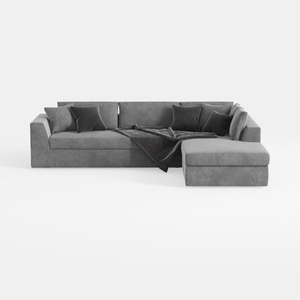
Minimalist Gray Fabric Sectional Sofa with Throw Pillows and Blanket 3D Model
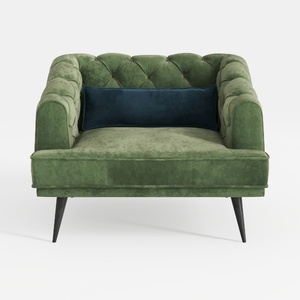
Modern Green Velvet Tufted Armchair with Accent Pillow 3D Model

Modern Navy Velvet U Shaped Sectional Sofa 3D Model
Homestyler is your go-to online home design platform, perfect for turning your vision into reality. With its user-friendly design tool, stunning 3D renderings, endless design projects, and engaging video tutorials, you can effortlessly create and explore a beautiful home tailored to your style. Transform your space today!
Concevez maintenant gratuitement
































