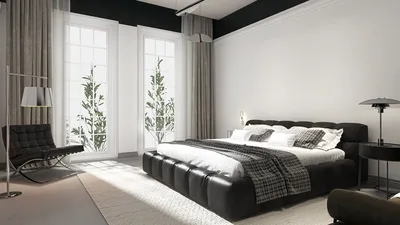


Designing a 3D model of a computer can be an enjoyable and functional endeavor, whether you are an enthusiast, a professional designer, or an educator looking to craft digital models or bring product ideas to life. Nowadays, numerous user-friendly 3D modeling software applications are at your disposal, enabling even novices to produce impressive results with dedication and practice. Here’s an organized guide on how to go about creating a 3D computer model, incorporating insights from a designer’s viewpoint to enhance your workflow using tools like Homestyler.
1. Select Your Modeling Software
The initial step involves choosing the appropriate software for your project. Well-known options include Blender (which is free), SketchUp, Autodesk Fusion 360, and TinkerCAD (excellent for beginners). Each software offers distinct methods for manipulating shapes and modeling functionalities, so it’s advisable to explore their features and select one that aligns with your expertise and project requirements.
2. Collect Reference Images
Before starting the modeling process, gather a variety of reference images of the computer you aim to model. Make sure to include images from the front, side, rear, top, and close-ups of ports or buttons for better accuracy and inspiration. If you prefer to model from your imagination, a quick sketch could assist in establishing proportions effectively.
3. Outline Basic Shapes
Begin by outlining the fundamental components: the casing (be it a tower or a laptop body), monitor, keyboard, and mouse. Utilize basic geometric shapes (like cubes, rectangles, and cylinders) to form each element. For instance, the computer tower can start as a rectangular prism, while the monitor can be represented as a thin rectangle.
4. Polish the Details
Once you have established the correct proportions, start to refine details such as rounded edges, vent openings, bezel accents, key caps on the keyboard, and ports behind the tower. Take advantage of your software’s features, such as ‘extrude’ and ‘bevel’, to introduce depth and enhance realism.
5. Add Colors and Textures
To enhance the realism of your model, apply suitable materials and textures. For instance, you might use a brushed aluminum texture for the laptop casing, glossy black for the monitor border, or semi-transparent effects for the screen. Most 3D modeling applications facilitate the import of images or the use of preset textures.
6. Render and Export Your Model
Contemporary modeling software typically includes built-in rendering capabilities. Adjust your lighting and camera perspectives to showcase your 3D computer model effectively, and then render a high-quality image or export the model for additional use or sharing.
Tip 1:
From an interior designer's standpoint, meticulously created 3D models significantly improve the communication of concepts and the design of captivating environments, especially when it comes to workstations or tech labs. If you’re considering incorporating the computer model into a broader scene, utilizing a 3D floor planner like Homestyler can help you visualize the layout, scale, and spatial dynamics within a comprehensive design framework. This approach not only saves time but also leads to more harmonious spaces for clients or presentations.
FAQ
Q: What is the simplest software for 3D modeling a computer?
A: For those just starting out, TinkerCAD and SketchUp are great beginner-friendly options, whereas Blender provides more advanced features without any cost.
Q: Can I incorporate my 3D computer model into virtual interior design projects?
A: Absolutely! Importing your 3D computer model into scene planners can aid in visualizing work environments or gaming setups realistically.
Q: Is a powerful computer necessary for 3D modeling?
A: Basic modeling can be done on most computers, but for more complex scenes or detailed models, having additional RAM and a dedicated graphics card will enhance performance.
Q: What can I do to make my 3D model appear more realistic?
A: Incorporate details like cables, realistic textures, and subtle variances; utilize high-quality materials and lighting to achieve lifelike renders.
Q: Can I design 3D models of custom-built computers?
A: Certainly! Modeling software allows you to create each component to your specific requirements, making it perfect for custom or conceptual designs.
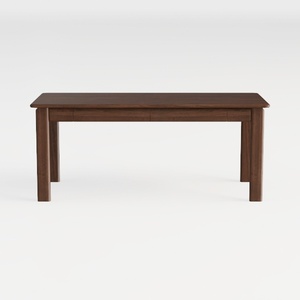

SAFAVIEH Home Collection Reid Walnut Computer Tabl

DLCQIJI L Shaped Desk with Drawers, Corner Compute

Homestyler is your go-to online home design platform! Its user-friendly design tool, stunning 3D renderings, and countless design projects, complemented by engaging DIY video tutorials, make it easy to turn your creative visions into reality. Start designing your dream home today!
Design Now for FREE
































