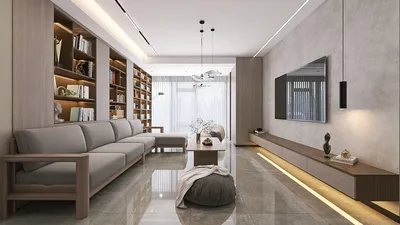


Creating a 3D camera model can be a fun and educational experience, whether you’re crafting a simple design for an academic project or a detailed digital replica for visualizing interior designs. The approach significantly relies on the tools you choose, your expertise, and the intended purpose of the model, be it a physical prototype or a digital render. Below is a step-by-step guide to assist you in crafting a 3D camera model using ** Homestyler** and other resources.
1. Choose Your Medium
Decide whether you prefer to create a physical model using materials like cardboard, clay, plastics, or a 3D printer, or go for a digital model utilizing 3D modeling software (such as Blender, SketchUp, or 3ds Max). For those in the interior design field, opting for digital models is particularly advantageous when incorporating them into virtual project showcases like those offered by ** Homestyler**.
2. Collect References
Gather images of cameras from various perspectives. Study their shapes, dimensions, key components (such as lenses, bodies, buttons), and textures. Accurate references will lead to realistic results.
3. Create Sketches or Blueprints
Craft a preliminary sketch or blueprint of the camera, detailing proportions and the placement of elements. This plan acts as your roadmap, similarly to how one would draft a floor plan before creating a room in 3D.
4. Construct the Basic Shape
If you are working digitally, begin by modeling the primary body using basic shapes (cubes and cylinders). Gradually refine these shapes, enhancing detail and smoothing edges as necessary. For physical models, cut the base shapes from your preferred material and piece them together.
5. Incorporate Details
Add finer details such as the lens, buttons, dials, and screen. Utilize modeling tools to extrude, carve, or attach these components digitally, or use glue or sculpture techniques for physical models.
6. Apply Textures and Paint
Implement surface textures and colors for a realistic appearance. In digital work, utilize UV mapping and photo textures; in the case of physical models, leverage paint and decals to achieve surface details.
7. Rendering or Displaying your Model
If your design is digital, this is your moment to render your 3D camera model, adjusting lighting and perspective to ensure a convincing presentation. Positioning such objects in 3D room scenes can greatly enhance the authenticity of visualizations, a key aspect of modern 3D home design, especially when utilizing tools like ** Homestyler**.
As a designer, I perceive model-making through the lens of storytelling and meaningful placement. Whether for client presentations or personal development, a meticulously crafted 3D object like a camera enriches the narrative within an interior scene and can effectively illustrate spatial context, similar to how you would style a coffee table or curate artwork in a designed home render with ** Homestyler**.
Tips 1:
Reflect on the intended use of your camera model: Will it be animated, printed, or primarily visualized? This decision influences how much detail is required and which materials or software are most appropriate. For digital models meant for room designs, ensure your camera model is accurately scaled and optimized for fast rendering and compatibility within larger scenes.
FAQ
Q: What software can I utilize to create a 3D camera model?
A: Some popular choices include Blender, SketchUp, 3ds Max, Maya, and Fusion 360. Each offers a strong set of modeling tools that cater to users from beginners to experts.
Q: Is it possible to 3D print my camera model?
A: Absolutely! Export your digital model in STL or OBJ format, which is suitable for 3D printing. Ensure that the model is prepared for printability by confirming watertight geometry and correct scaling.
Q: How can I add textures to my digital 3D camera model?
A: Use UV unwrapping tools available in your 3D software, then apply image textures or materials to replicate different camera surfaces like plastic, metal, or glass.
Q: Why should I create a 3D camera model for interior design projects?
A: Including intricate accessories such as cameras introduces realism, character, and depth to 3D renders, significantly enhancing presentations for clients or portfolios.
Q: Where can I locate reference materials for camera modeling?
A: Look for manufacturer blueprints, online image galleries, and tech review sites. Platforms like Pinterest also provide extensive multi-angle photography of both vintage and contemporary cameras.



Discover your design potential with Homestyler! This user-friendly online platform features an intuitive design tool, stunning 3D renderings, and a wealth of design projects and DIY video tutorials. Transform your home effortlessly, whether you're a beginner or a seasoned designer!
Concevez maintenant gratuitement
































