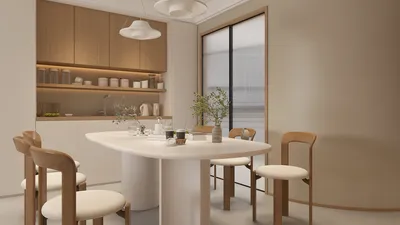


Are you eager to turn your floor plan into a 3D model for printing? This rewarding endeavor can be thrilling! Utilizing specialized software, you can effortlessly convert a 2D blueprint into an intricate 3D version, prepared for 3D printing. Regardless of whether you’re an architect, designer, or DIY lover, it’s crucial to learn how to derive a 3D model from your floor layout. Let’s explore the necessary steps and tools required for this impressive transformation, including the versatile capabilities of Homestyler.
Grasping the Fundamentals of 3D Printing from Floor Plans
Before delving into the conversion steps, it’s essential to understand the fundamentals. 3D printing enables the creation of tangible objects from virtual models. To convert your floor plan effectively, start with a digital version of your design, like a CAD file. From this point, tools like Homestyler’s floor planner can assist in visualizing and enhancing your design in three dimensions.
Procedure to Transform Your Floor Plan into a 3D Model
1. **Generate or Upload Your Floor Plan**: If your initial design is on paper, scan it to develop a digital version. You can also use dedicated floor planning programs to create your layout from scratch. 2. **Craft in 3D**: Employ applications such as Homestyler’s 2D design interface to raise walls, incorporate furniture, and build an immersive 3D space. 3. **Save Your Model**: Once your design is finalized, export it in a format suitable for 3D printing, like STL or OBJ.
Common Challenges and Their Solutions
Transitioning a floor plan into a 3D printable model may come with its set of hurdles. A frequent concern is maintaining accurate dimensions for printing. To address this, always verify your measurements within the software. Moreover, some applications might not natively support 3D printing; in these situations, consider using plugins or additional tools that facilitate converting your model into a printable format.
Frequently Asked Questions
What software is necessary to convert a floor plan into a 3D model? You have a variety of choices, including AutoCAD, SketchUp, or the design functionalities offered by Homestyler, for an efficient conversion process.
Is it possible to print large models? Absolutely! However, ensure that your 3D printer is capable of accommodating the dimensions of your project.
Explore the Benefits of Using a Free 3D Floor Planner
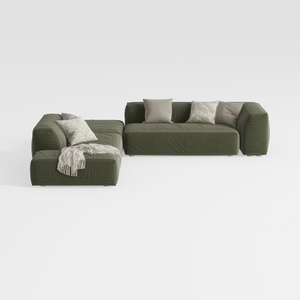
ovios 104" Cloud Sectional Couch with L-Shape

Fluted Storage Cabinet, 31.5“ Wooden Sideboards
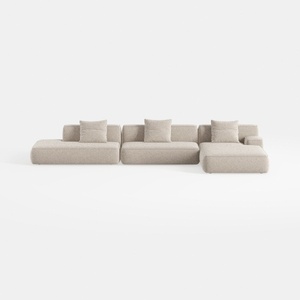
TIMERAGE 104'' Power Recliner Corner Sofa with
Transform your home with Homestyler, the ultimate online design platform! Its user-friendly design tool and stunning 3D renderings inspire your creativity. Explore numerous design projects and handy DIY video tutorials to effortlessly realize your dream spaces, whether you're a novice or a seasoned designer!
Progetta ora GRATIS
































