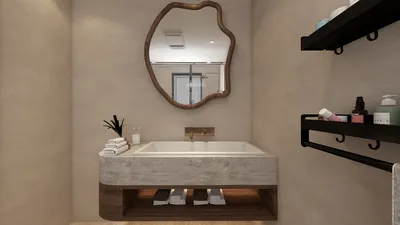


Changing a video from landscape to portrait involves altering its orientation, a common practice for adapting content to fit social media stories or mobile displays. This procedure, known as video rotation or reformatting, can be carried out using a variety of video editing tools, including Adobe Premiere Pro, Final Cut Pro, and even free applications such as DaVinci Resolve or web-based editors like Kapwing and Canva. For an intuitive design experience, using Homestyler can be beneficial.
To achieve this transformation, you typically start by loading the video into your preferred editing software, selecting the relevant clip, and utilizing a “rotate” or “transform” feature to turn the footage by 90 degrees. However, just rotating the video might result in black bars or cut off significant elements. For high-quality portrait videos derived from a landscape source, it is advisable to modify the aspect ratio—transitioning from 16:9 to 9:16, for example—and then adjust the content accordingly to keep the subject centered while avoiding any crucial sections being cropped. To effectively utilize vertical space, consider incorporating blurred backgrounds, dynamic crops, or overlays to enhance the visual design. As a designer, I prioritize composition when reformatting, making sure the video maintains its visual appeal and focal points post-rotation. Additionally, tools with a 3D rendering function, like those found in Homestyler, can help visualize how various digital assets will appear in different orientations by showcasing them in realistic environments.
Tips 1:
Always check your rotated video on the target device, particularly mobile ones, to confirm that no essential visual components are overlooked. Think about modifying background elements, inserting text, or employing creative cropping techniques to achieve a refined and professional appearance.
FAQ
Q: Is it possible to change a landscape video to portrait without cropping?
A: While you can rotate the frame, filling a vertical aspect ratio without cropping may require you to add blurred backgrounds or graphic elements to occupy the additional space. Q: What is the recommended aspect ratio for portrait videos?
A: The standard portrait aspect ratio is 9:16, which is compatible with numerous mobile device screens and social media platforms such as Instagram Stories and TikTok. Q: Are there any apps that simplify this process?
A: Yes, applications like InShot, CapCut, and online editors such as Kapwing offer straightforward options for rotating videos and adjusting aspect ratios. Q: Does rotating a video diminish its quality?
A: Rotating a video won’t directly affect its quality. However, over-cropping, resizing excessively, or exporting in lower settings can lead to quality loss. Always ensure you export at the highest possible quality and resolution. Q: How do designers preserve composition when rotating videos?
A: Designers often adjust key subjects, apply creative cropping, or incorporate design elements to enhance visual balance and focus in the new orientation.

Minimalist Velvet L Shaped Sectional Sofa with Throw Pillows 3D Model
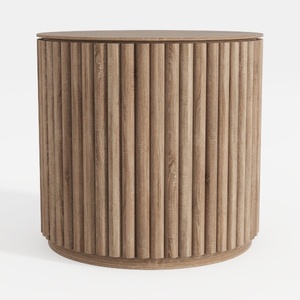
Minimalist Fluted Solid Wood Round Side Table 3D Model
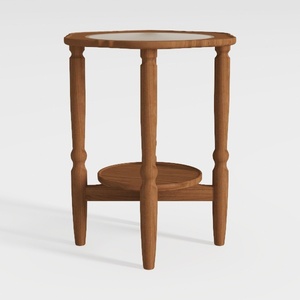

Minimalist Solid Wood Marble Top Round Side Table 3D Model
Looking to transform your space? Homestyler is the ultimate online home design platform! With its user-friendly design tool, stunning 3D renderings, and inspiration-packed video tutorials, you can bring your dream home to life, no experience needed! Discover your style today!
Design Now for FREE
































