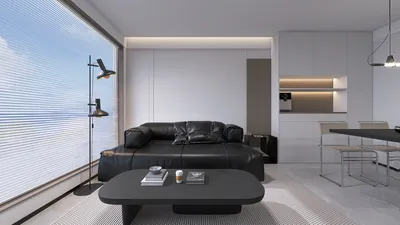


Crafting a 3D bear model can be an engaging yet demanding task, ideal for enthusiasts of digital artistry, game design, or 3D printing. Regardless of whether you opt for Blender, Maya, or other modeling applications, the creation process typically adheres to a consistent set of steps. Below is a comprehensive guide to assist you in building a bear model from the ground up using Homestyler and other tools.
1. Compile Reference Images
Start by gathering high-quality images of bears captured from multiple perspectives—side, front, back, and top views. These images will act as your visual reference throughout the modeling journey.
2. Prepare Your Workspace
Load your reference images into your preferred 3D modeling program. Position them on background planes or in orthographic views (frontal, lateral, superior) to help maintain accurate proportions and anatomical accuracy.
3. Initiate with Basic Shapes
Kick off the modeling task by creating a rough outline of the bear’s body using fundamental shapes—generally, you'll employ spheres or cubes. Develop distinct shapes for the body, head, legs, and ears. Concentrate on overall dimensions and proportions at this stage, avoiding intricate details.
4. Refine the Form
Utilize functions such as extrusion, scaling, and vertex manipulation to gradually refine the bear’s body shape. Focus on the notable characteristics of bears, including their sturdy torso, strong limbs, and short tail. Using dynamic mesh editing or sculpting brushes can aid in enhancing the overall structure.
5. Incorporate Details
After establishing the foundational shape, begin detailing aspects like the snout, claws, pads on the feet, and distinct fur texture. To achieve more realism, employ subdividing methods to elevate mesh resolution.
6. Mesh Optimization and Retopology
If you've employed sculpting techniques, retopologize the model to optimize the mesh for easier animation or rendering. This essential step ensures that your model is efficient and prepared for subsequent stages.
7. UV Mapping and Texturing
Unwrap the UVs of your 3D bear model to create flat layouts for painting textures. You can texture the bear utilizing applications like Substance Painter, Photoshop, or directly within your modeling program. Pay close attention to achieving realistic fur and skin tones.
8. Lighting Setup and Render Preview
Configure the lighting and conduct render previews to assess surface details and textures. Adjust materials and shaders to accomplish the desired appearance, whether it’s realistic or stylized.
9. Final Export
Save your finished bear model in the format required for your project. If your goal is to incorporate the bear into a realistically designed setting, using a tool like Homestyler tailored for creating 3D renderings of home environments can enhance the contextual appeal and visual harmony of your scene.
Tips 1:
For those considering animation, model your bear in a neutral stance (often known as a T-pose or A-pose). This approach simplifies the rigging and animation stages later. Additionally, leveraging layers and grouping tools in your software can facilitate complex modeling tasks and enhance organization and adaptability.
FAQ
Q: Which software is optimal for 3D bear modeling?
A: Widely-used 3D modeling applications include Blender, Maya, ZBrush, and 3ds Max. Blender is a standout free choice that excels in both modeling and sculpting tasks.
Q: How intricate should my 3D bear model be?
A: The detail level is contingent upon your intended use—low-poly models are suitable for games, whereas high-poly models thrive in cinematic applications or 3D printing.
Q: Is it feasible to use a 3D bear model in a 3D render of a home or outdoor scene?
A: Absolutely! Introducing 3D animals adds character and storytelling elements to visualization projects, particularly when displayed in realistic rendering environments.
Q: What methods can I use to achieve realistic fur for my 3D bear?
A: Most modeling applications provide options to create fur using particle systems or hair objects. Adjust strand lengths, thickness, and coloration meticulously for optimal outcomes.
Q: Should I use sculpting or box modeling techniques for a bear?
A: Both approaches are valid. Box modeling is excellent for cartoonish or stylized bears, while sculpting is more suited for realistic and organic forms.


Homestyler is the ultimate home design platform for anyone looking to bring their vision to life. With its user-friendly online design tool, stunning 3D renderings, inspiring design projects, and helpful video tutorials, you'll easily create a beautiful space that reflects your style.
Concevez maintenant gratuitement
































