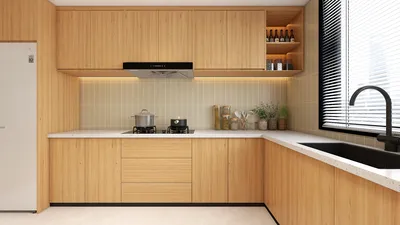


Homestyler is an innovative home design software that empowers users to create stunning visualizations, comparable to the capabilities of renowned rendering tools like V-Ray for 3ds Max 2009 64-bit. Whether you are focusing on architectural projects, interior designs, or product presentations, Homestyler enables exceptional results through its user-friendly interface and advanced features. In this article, we will delve into the essential functionalities, installation guidelines, and practical tips for maximizing the benefits of Homestyler in your design endeavors.
Key Features of Homestyler
Homestyler comes packed with numerous features that make it a favored option among design enthusiasts and professionals alike:
Installation Process
Setting up Homestyler is a breeze. Just follow these simple steps to get started:
Tips for Using Homestyler Effectively
To fully leverage the potential of Homestyler, keep these helpful tips in mind:
FAQ
Q: What is Homestyler? A: Homestyler is a versatile home design software designed to help users create high-quality visualizations easily and efficiently.
Q: Is Homestyler compatible with other design software? A: Yes, Homestyler works well with various home design applications, enabling seamless integration into your workflow.
Q: What are the system requirements for Homestyler? A: Ensure your device meets the recommended hardware and software specifications for the best user experience.
Explore and Create with Homestyler
Design Now for FREE
































