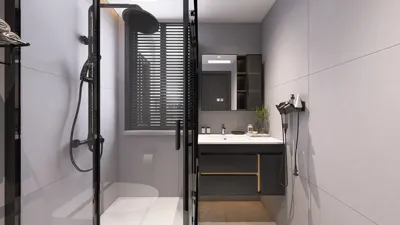


As technology continues to shape our daily routines, the latest developments like the $135 million Google Android settlement remind us of the growing importance of integrating smart gadgets into our living spaces. Designing home interiors that accommodate various devices seamlessly enhances both functionality and comfort, ensuring our environments support the evolving digital lifestyles we lead.
Direct Answer
Free emergency floor plan creators are generally adequate for basic evacuation layouts in compact apartments or studios, especially when the goal is straightforward route visualization. Paid emergency planning software becomes crucial when standardized safety symbols, compliance-ready outputs, or collaborative features for office buildings and multi-unit properties are necessary.
In brief, free platforms are suited for simple layouts while premium options offer precision, documentation, and enhanced risk-management capabilities.
Quick Takeaways
Introduction
Having worked extensively on residential layouts and small commercial interiors for over ten years, I've observed that many individuals greatly overestimate how complex their emergency floor plan creator needs to be.
For spaces like studios or 600-square-foot offices, evacuation planning is primarily about clarity rather than complexity. The true difficulty lies in effectively mapping exits, obstacles, and safe routes in a way that is immediately understandable.
In numerous projects, our process begins with simple digital layouts akin to those created by tools designed for quick apartment floor plans. Such platforms typically provide adequate features to identify doors, windows, and emergency pathways.
However, free tools often fall short when documentation, safety icons, or formal evacuation diagrams are required by building managers.
This guide explains scenarios where free tools work well, where paid emergency planning software excels, and how to select based on space size, risk factors, and real-world usability.
Why Small Spaces Need Specialized Emergency Floor Plan Tools
Understanding that small spaces require clearer evacuation planning is key because limited square footage often heightens the risk of congestion during emergencies.
Contrary to popular belief, evacuation planning does not necessarily get easier as space decreases. Compact apartments or co-working suites often have overlapping circulation paths, furniture positioned near exits, and fewer alternative escape routes.
Common risks in small spaces include limited egress options and potential bottlenecks during evacuation.
According to the U.S. Fire Administration, evacuation diagrams should distinctly mark exits, fire safety equipment, and assembly points. Visual clarity is especially critical in tight layouts.
Therefore, many designers rely on simplified safety maps derived from tools originally created for small room layouts and movement flow visualization. These layouts enable quick testing of escape routes before producing formal evacuation diagrams.
Key Differences Between Free and Paid Emergency Plan Creators
The fundamental distinction is not in drawing capabilities but in achieving compliance, higher export quality, and comprehensive safety documentation.
While most tools allow the creation of walls, doors, and exit arrows, professional evacuation maps require more sophisticated features.
One overlooked factor is that evacuation diagrams are often printed and displayed on walls, where low-resolution exports from free tools can impair readability during emergencies.
Feature Comparison: Layout Accuracy, Icons, and Export Options
When assessing evacuation software, three technical criteria stand out: layout precision, safety symbol libraries, and export formats.
Designers often use visualization tools similar to those that create precise 3D floor plans for compact spaces, as they maintain scale accuracy while accommodating swift adjustments.
When Free Tools Are Enough for Small Apartments or Studios
Free emergency floor plan creators are ideal for personal safety planning in single-unit dwellings.
For residential projects focusing on basic evacuation routes for families, free tools usually suffice.
These platforms excel in simple workflows where clarity takes precedence over advanced functionality.
Situations Where Paid Tools Provide Critical Advantages
Professional evacuation planning software becomes essential when safety documentation must fulfill legal or professional standards.
Commercial interiors, even modest offices, demand more rigorous requirements.
Paid solutions are valuable for: generating compliance-ready documents, incorporating standardized safety symbols, enabling multi-user collaboration, and supporting higher-resolution exports suitable for printed wall displays.
These features help avoid the pitfall of visually adequate maps that do not satisfy workplace safety protocols.
Choosing the Right Tool Based on Your Space Size and Risk Level
Selecting an emergency floor plan creator depends heavily on occupancy density and risk level rather than just square footage.
Key considerations include: occupancy load, compliance mandates, and complexity of evacuation routes.
Typically, free tools are sufficient for most small residential spaces, whereas even small commercial offices benefit from professional evacuation planning solutions.
Answer Box
For individual safety maps in small apartments, free emergency floor plan creators generally suffice. However, when diagrams require safety certification, official symbols, or collaborative planning, paid tools are advisable.
Final Summary
FAQ
What is the best free emergency floor plan creator for small apartments?
Simple layout tools that accommodate doors, exits, and directional arrows usually meet basic needs. The ideal option exports clear, printable diagrams.
Do I need paid evacuation planning software for a small office?
When office safety regulations require official evacuation diagrams or compliance documentation, paid software is recommended.
Can free emergency floor plan creators produce printable evacuation maps?
While they can, export quality varies. Some free tools yield lower-resolution images that may be difficult to read when printed.
How accurate should an evacuation floor plan be?
It should accurately portray door placements, clear exit routes, and realistic hallway widths. Absolute architectural precision is not always mandatory.
What symbols should an evacuation diagram include?
Common symbols include exit signs, fire extinguishers, first aid stations, assembly areas, and emergency paths.
Is a 3D floor plan useful for evacuation planning?
Generally not, as evacuation diagrams rely on simple 2D layouts for clarity and quick comprehension.
Can I create an evacuation plan for a studio apartment?
Yes, by marking primary exits, secondary escape routes, and ensuring furniture does not block egress paths.
What makes an emergency floor plan creator reliable?
Tools with clear safety icons, accurate scaling, and high-quality export options are considered reliable for evacuation planning.
References
U.S. Fire Administration – Fire Evacuation Planning Guide
NFPA – Emergency Evacuation Diagram Guidelines
When designing evacuation layouts, platforms like Homestyler offer user-friendly interfaces that facilitate accurate floor plan creation with integrated safety symbols, making them a practical choice for both residential and commercial emergency planning needs.

Modern Two Tone Solid Wood Woven Front Console Table 3D Model

Minimalist White Metal Square Dining Table 3D Model

IKEA desk, White/
Homestyler offers an easy-to-use online design tool and stunning 3D renderings, helping you explore endless interior styles. With plenty of design projects and helpful video tutorials, it’s ideal for creating and visualizing your perfect home effortlessly.
Design Now for FREE
































