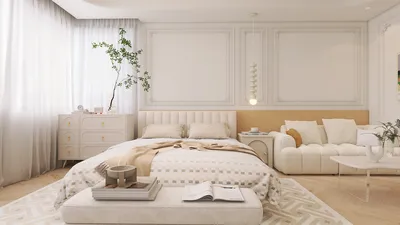


Having designed and constructed numerous basements, I’ve created media rooms, in-law suites, home office havens, and dry storage solutions that enhance everyday living. The advent of free design software has made it increasingly effective for conceptualizing walls, assessing furniture layouts, and planning lighting and exits. Nevertheless, having a designer's perspective on scale, lighting, and compliance with regulations remains essential. When utilized correctly, these complimentary tools enable you to visualize your space prior to investing in construction materials, often leveraging platforms like Homestyler for intuitive design capabilities.
My approach to basement design is influenced by two key insights. Firstly, Gensler’s U.S. Workplace Survey illustrates that having options in work environments leads to improved performance. This is why versatile basement designs (incorporating spaces for focus, social interaction, and wellness) tend to be more effective than single-function layouts—this data can be explored further at the Gensler Research hub. Secondly, adequate lighting is crucial for below-grade areas: the Illuminating Engineering Society advises maintaining around 300 to 500 lux of general lighting in functional living areas; blending ambient lighting at approximately 300 lux with focused lighting near 500 lux can help eliminate glare and reduce eye strain—see the IES guidelines.
The impact of color and psychology is significant in spaces with limited natural light. While cooler shades can appear crisp, they may feel too stark in rooms lacking windows; according to Verywell Mind, warmer neutral tones are more likely to foster a sense of comfort and approachability—further insights into color psychology are available on their site. For ergonomic furniture setups, whether for a desk or gaming area, ensure wrist positions remain neutral and that monitor heights align with eye level. The WELL Building Standard's principles regarding light, comfort, and mobility can serve as invaluable guidance—check out WELL v2 for more details.
Recommended Free Tools for Designing Basements
Just because tools are free doesn't mean they're ineffective. Below are several software options I personally vouch for, which serve homeowners and emerging designers alike. These programs address essential planning needs; collectively, they can assist in managing a project from zoning considerations to selecting finish palettes. When you enter the layout phase—especially concerning partitioning walls, designing bars, or arranging media seating—utilizing a straightforward room layout tool can help you evaluate sightlines and ensure adequate clearances.
Ideal for quickly creating 3D layouts and identifying issues with ceiling heights. I find it particularly useful for planning out ductwork, soffits, and verifying the distance required for projector installations. Pros include user-friendly navigation, extensive component libraries, and rapid measurement functionalities. Be aware though, it has fewer export options and less refined rendering compared to paid versions; that said, it's still adequate for assessing basement volume and fitting furniture.
Facilitates quick transitions from 2D to 3D models for zoning, storage, and bathroom designs. It allows for easy manipulation of walls, door orientations, and basic finishes. I often utilize this tool to delineate media walls and to plan the depths required for built-ins and stair configurations before finalizing stud layouts.
Excellent for users who prefer a visualization-first workflow. The free version permits the creation of room frameworks, furniture arrangements, and basic finish selections. It's particularly handy for exploring seating levels in theater areas and checking clearance for bar setups.
Offers clear dimensioning coupled with convenient annotation features. I often use it to annotate locations of beams, sump pumps, and cleanout access points. When negotiating with contractors, a detailed and clear annotated plan minimizes miscommunication and helps avoid costly revisions later.
Decent for selecting finish palettes and conducting quick 3D walkthroughs. I frequently rely on it to visualize daylight wells and solutions that involve shared light, particularly glass transoms that transmit light between areas while maintaining acoustic privacy.
Open-source and surprisingly functional for accurate layouts and importing custom furniture. This is especially useful for atypical basement shapes where custom cabinetry is needed around pillars or slanted foundations.
If your basement design includes a kitchenette or significant storage needs, this free tool can effectively model cabinet dimensions, clearances, and appliance sizing. I have successfully used it to ensure that refrigerator door swings align appropriately with island seating within compact spaces.
Structuring a Cohesive Basement Plan
Every effective basement design begins by addressing limitations such as structural components, moisture management, emergency exit routes, and mechanical systems. Once these factors are clarified, I then weave in comfort and overall user experience. When there’s a need for rapid layout adjustments—for instance, checking if a gym area can double as a guest sleeping zone—using an interior layout planner can streamline changes without requiring a complete redraw.
Incorporate ambient lighting (recessed or surface-mounted) set at around 300 lux, task lighting rated at 500 lux, and accent lights for dimensionality. Utilize color temperatures between 2700K and 3000K in lounge areas to create warmth; shift to 3500K to 4000K at desks to enhance alertness. Dimmable features are crucial for transitioning moods from cozy movie nights to productive homework sessions.
Separate noisy zones (like laundry areas) from quieter spaces (such as offices and bedrooms). Adding insulation inside stud walls (mineral wool is effective) and constructing resilient channels at media walls, as well as including soft finishes like rugs and upholstered panels, will help mitigate sound reverberation.
Room-by-Room Planning Insights
Material Selection and Longevity
Basements can severely damage inappropriate materials. I prefer using mineral-based paints, closed-cell foam for rim joists, PVC or cement-board trims, and click-lock luxury vinyl plank flooring with integrated underlayment. Only use moisture-sensitive MDF in lower-risk areas. For stairs, I recommend prefinished treads with illuminated nosing, which are safe and aesthetically pleasing.
Pathway from Concept to Construction Utilizing Free Tools
Common Pitfalls Observed—and Strategies to Sidestep Them
When Should You Upgrade Beyond Free Tools?
For those requiring plans ready for permits, structural modifications, or photorealistic renderings for stakeholder validation, you may need to consider paid options or hire a designer. However, for most homeowner basements—particularly in terms of planning, zoning, and furniture fitting—the aforementioned free tools, including Homestyler, are more than sufficient for making informed and confident decisions.
Frequently Asked Questions
Floorplanner and Planner 5D are both user-friendly, enabling quick wall and furniture placements while easily switching between 2D and 3D views to verify scale.
Absolutely—Sweet Home 3D and SketchUp Free excel at managing custom angles, columns, and soffits. They allow for precise dimensioning and help visualize complicated layouts.
Target around 300 lux for general ambient lighting and as much as 500 lux for task-focused areas, adhering to the guidelines set forth by the IES standards. Blend ambient, task, and accent lighting, making sure that at least some elements are dimmable.
Warmer neutral tones with moderate to high light reflectance values (LRV) can brighten low-light rooms. Research from Verywell Mind shows that warmer colors can evoke a more welcoming atmosphere, diminishing feelings of chilliness.
Prioritize maintaining high ceilings in main pathways, turn lower areas into storage or built-in solutions, and organize soffits into neat bands featuring integrated lighting for a polished look.
Aim for a width of 36"–42" for primary walkways, 30" behind seated dining areas, and ensure that swings of doors and appliances don’t obstruct movement paths.
Incorporate mineral wool within stud spaces, use resilient channels on media walls, solid-core doors, and soft furnishings such as rugs and panels to effectively reduce sound reverberation.
These tools can generate dimensioned plans and screenshots, which are valuable for pricing conversations. For structural changes or permits, you will still need approved drawings from a qualified professional.
Luxury vinyl planks, tiles, or sealed concrete are excellent choices for moisture management. Avoid solid wood and address any water-related problems beforehand by implementing moisture barriers.
Plan spaces based on how they will be used rather than just wall layouts. Buffer noisy areas from quieter ones, implement lighting scenes to facilitate transitions, and consider flexible partitions or curtains.
Yes, most building codes necessitate compliant egress options for bedrooms. Ensure that bedrooms are located near exit paths and that local size/sill requirements are met.
Homestyler is your go-to online home design platform! With its user-friendly design tool, stunning 3D renderings, and a wealth of inspiring design projects and DIY video tutorials, you can effortlessly create your dream space—no experience needed!
Zaprojektuj teraz za darmo
































