

Designing event floor plans can be quite challenging, particularly when space is at a premium. Thankfully, tools like the Microsoft Visio 3D Module simplify the process, transforming the design of eye-catching floor plans into a more manageable task. This software empowers you to visualize your area in three dimensions, providing greater insight into your layout and flow. So, how can you fully leverage this software for your event design needs?
Familiarize Yourself with Microsoft Visio 3D Module
Before getting into your event floor plans, it's important to familiarize yourself with the functionalities of Microsoft Visio's 3D module. The software boasts an array of templates and shapes that are specifically designed for event planning purposes.
Begin by diving into the selection of built-in templates that accommodate various event types—whether it's a corporate gathering, a wedding, or an expansive exhibition. Choosing the appropriate template can significantly reduce the time spent on planning and improve your design visualization.
Utilize Layers for Efficient Space Management
A notable advantage of the 3D module is the capacity to create multiple layers within your floor plans. These layers let you isolate different components of your design, such as furniture, decor, and technical configurations.
This functionality streamlines your design efforts by enabling you to adjust specific elements without affecting the overall layout. Are you considering how to arrange the seating? You can modify that layer independently of your audio-visual configurations.
Integrate Interactive Features
The 3D capabilities of Microsoft Visio allow for the inclusion of interactive components in your designs. You can display various furniture styles, color palettes, and layouts all within the three-dimensional framework.
Incorporating interactive features not only enhances the visualization of your ideas but also captivates clients during presentations. Have you ever considered how an interactive demonstration might elevate your design proposal?
Collaborate with Your Team in Real Time
The real-time collaborative functionality in Microsoft Visio allows you and your team to simultaneously work on event floor plans. This level of collaboration boosts communication, ensuring all team members are aligned with the design vision.
For team members who may be working remotely, Visio's sharing capabilities enable seamless collaboration from anywhere. How do you think this kind of teamwork could benefit your project?
FAQ
Q: What are the steps to create an event floor plan using Microsoft Visio 3D?
A: Start by selecting a suitable template in Visio, customize it to accommodate your event requirements, and utilize layers to effectively manage different design elements.
Built on technology originally developed at Autodesk, Homestyler empowers anyone to design beautiful, realistic spaces in minutes. Join over 18 million users who have already discovered a smarter way to plan, visualize, and bring their dream homes to life — all from the comfort of a browser.

Minimalist Gray Fabric Loveseat Sofa with Throw Pillows 3D Model
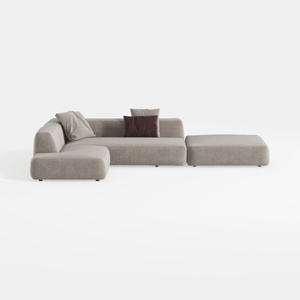
Minimalist Fabric L Shaped Sectional Sofa with Ottoman 3D Model


Minimalist Gray Velvet Tufted U Shaped Sectional Sofa 3D Model
Homestyler is an outstanding online home design platform perfect for anyone looking to transform their spaces. With a user-friendly design tool, stunning 3D renderings, a plethora of design projects, and helpful DIY video tutorials, you can effortlessly turn your vision into reality.
立即免费设计
































