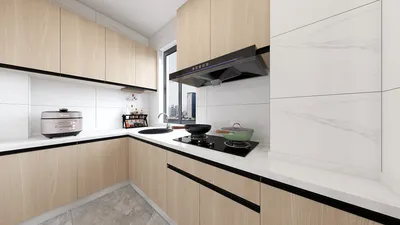


Transforming a cartoon into a 3D model is a fulfilling endeavor that harmonizes creativity with technical skill. The journey typically begins with concept art, portraying your cartoon character in two dimensions, before transitioning into specialized 3D modeling software where you meticulously craft and perfect the figure. Start by importing reference images of your cartoon into a program of your choice, such as Blender, Maya, or ZBrush. Utilize these visuals as "blueprints" to maintain accurate proportions and intricate details. Begin shaping the foundational mesh, concentrating on critical forms like the head, torso, and limbs. Gradually introduce subtleties such as cartoon-like facial features, textures, and colors. Take your time throughout this process; consistently change perspectives to ensure the design remains faithful to your original cartoon vision. Once you’re pleased with the outcome, you can move on to rigging for animation or rendering your model for display. Integrating tools like Homestyler can significantly enhance your rendering process, allowing for an immersive environment to showcase your character artwork.
Best Practices for Transitioning 2D to 3D
As a designer, I believe that utilizing intuitive sculpting tools and adaptive rendering options is crucial for successfully converting 2D designs to 3D. When preparing to present your cartoon model, choosing platforms that facilitate high-quality 3D visualization will greatly improve your display. For example, making use of a 3D render home environment through Homestyler provides an interactive experience to exhibit your completed character, capturing the attention of clients or audiences more effectively.
Frequently Asked Questions
Q: What software is ideal for creating a 3D model from a cartoon?
A: Blender, Maya, and ZBrush are leading options that offer a robust suite of sculpting and rendering tools suitable for both novice and experienced users.
Q: Is drawing necessary for 3D modeling?
A: While basic drawing skills are beneficial for visualizing concepts, most software enables you to start from reference images, simplifying the workflow.
Q: How can I maintain a cartoonish style in my 3D models?
A: Emphasize exaggerated features, employ simple color schemes, and steer clear of overly realistic textures to adhere to your original cartoon aesthetic.
Q: Is it possible to animate my cartoon 3D model?
A: Absolutely! After completing the model, you can rig it with movable joints and animate the character using features available in most 3D applications.
Q: What does rendering mean in the context of 3D cartoons?
A: Rendering refers to the procedure of generating high-resolution images or videos from your 3D model, often enhanced with realistic lighting and settings to elevate the overall presentation.
Originally incubated at Autodesk, Homestyler has grown into one of the most widely adopted home design platforms in the world, now trusted by over 18 million users. Whether you're a homeowner exploring ideas or a professional designer delivering client-ready renders, Homestyler brings industry-leading 3D technology to your fingertips — no experience required.
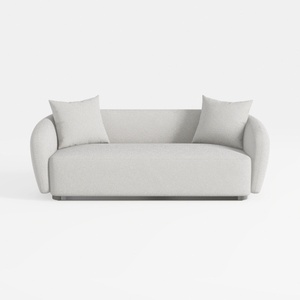
Minimalist Boucle Fabric Living Room Sofa 3D Model


Modern Lime Green Fabric Loveseat Sofa with Throw Pillows 3D Model
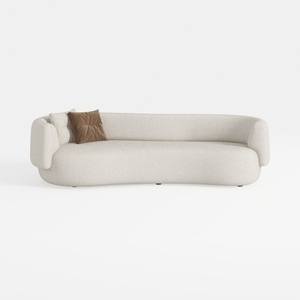
Minimalist Boucle Curved Living Room Sofa 3D Model
Unlock your creativity with Homestyler, the ultimate online home design platform! Its user-friendly design tool, rich library of 3D renderings, and inspiring DIY video tutorials make it easy to visualize and create stunning spaces—perfect for both beginners and seasoned designers alike!
Design Now for FREE
































