


Utilizing 3D models sourced from Google Earth can significantly elevate your design projects by providing realistic landscapes and intricate architectural details. Nonetheless, engaging in this process necessitates careful attention to legality and adherence to best practices. In this guide, we will outline a thorough approach to effectively leveraging Google Earth's 3D models for your design aspirations while also integrating innovative tools like Homestyler.
Exploring Google Earth 3D Models
Google Earth features a vast collection of 3D models that depict real-world buildings and terrains. These models are essential for fields such as architectural visualization, urban planning, and personal design endeavors. However, navigating Google's rigid terms of service can be a challenge when trying to access these models directly.
1. Getting Started with Google Earth Pro
The first step towards accessing these 3D models is to download Google Earth Pro, which is freely available. After installation, you can delve into the 3D representation of your area of interest, providing a clearer picture of local features and the surrounding environment.
2. Extracting 3D Models
While Google Earth does not allow for direct exporting of 3D models, many users opt to capture screenshots of the 3D views. Alternatively, you might find suitable models on platforms such as 3D Warehouse. For those in need of precise 3D representations, leveraging third-party tools capable of transforming screenshots into usable 3D files is beneficial.
3. Leveraging Third-Party Applications
To streamline the process of extracting 3D data, a variety of third-party applications and software can be employed. Designers frequently use tools like SketchUp or Blender, enriched with specialized plugins that facilitate the importation of Google Earth data. Always ensure to check the copyright and licensing terms of any model you use to remain compliant with regulations.
4. Navigating Legalities
Understanding the legal aspects of utilizing 3D models from Google Earth is crucial. Not every model is free for unrestricted use, making it vital to scrutinize licensing details to prevent copyright infringements. It's essential to secure permission for utilizing any model for both personal and professional projects.
5. Crafting Your Own Models
If you find that your desired models aren't available within Google Earth, consider creating your own 3D models using modeling software. Modern tools, including Homestyler, empower designers with the ability to produce custom models that reflect their unique vision and project demands, enhancing creativity and personalization.
Frequently Asked Questions
Q: Is it legal to use 3D models from Google Earth? A: Many of the 3D models found in Google Earth are protected by copyright. It is important to confirm the licensing conditions before using any of these models.
Q: Are there free alternatives to Google Earth for obtaining 3D models? A: Absolutely! Resources such as SketchUp and Blender offer tools to assist in creating or acquiring a diverse range of models.
Built on technology originally developed at Autodesk, Homestyler empowers anyone to design beautiful, realistic spaces in minutes. Join over 18 million users who have already discovered a smarter way to plan, visualize, and bring their dream homes to life — all from the comfort of a browser.


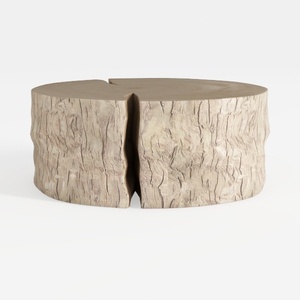
Rustic Solid Wood Split Log Coffee Table 3D Model

Minimalist Solid Wood Linen Fabric Three Seat Sofa 3D Model
Looking to transform your space? Homestyler has you covered! This user-friendly online design platform offers a powerful design tool paired with stunning 3D renderings, a variety of inspiring design projects, and helpful DIY video tutorials. Start creating your dream home today, no experience necessary!
立即免费设计
































