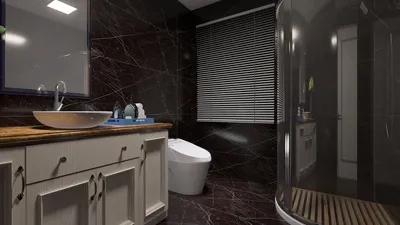


When creating stunning interior designs with 3ds Max and V-Ray, mastering the render settings is vital to achieving exceptional results. This comprehensive guide will help you navigate the essential configurations specifically crafted for interior renderings, allowing you to fully capture the beauty and intricacies of your designs with ease.
Essential Render Settings
To begin, access the V-Ray settings menu and concentrate on the key areas outlined below:
Set the image sampler to 'Bucket' to enhance performance for interior projects. Modify the Min and Max subdivisions to achieve the desired quality:
This configuration effectively balances speed and quality during rendering.
Activate Global Illumination (GI) to amplify realism in your interiors:
Tailor the settings for soft lighting and smooth transitions, crucial for indoors.
It's vital to regulate your environment lighting for indoor scenes:
Double-check that your materials are correctly configured. Utilize V-Ray materials, ensuring that reflections and refractions are enabled as needed:
Additional Insights
1. Leverage the V-Ray Frame Buffer for enhanced post-processing capabilities. 2. Play around with camera settings to refine depth of field, thereby improving realism. 3. Utilize V-Ray proxies for intricate geometries to boost performance significantly.
Frequently Asked Questions
Q: What strategies can I use to decrease render times in V-Ray? A: Streamline your settings by lowering the max subdivisions, applying lesser quality settings for testing renders, and incorporating V-Ray proxies for large objects.
Q: How can I elevate the realism in my interior renders? A: Concentrate on the quality of lighting and materials. Implement HDRI for environment illumination while ensuring that textures are accurately mapped onto surfaces.
Explore the use of Homestyler, your No.1 home design software, to simplify your design process.
Zaprojektuj teraz za darmo
































