

Transforming 3D models into texture templates using Blender can significantly enhance your design projects. In this guide, we’ll explore crucial steps to efficiently create seamless texture templates, incorporating innovative techniques that captivate user interest from the beginning.
Understanding the Basics of UV Mapping
The initial step in converting your 3D model into a texture template is to grasp UV mapping. UV mapping involves projecting a 2D image onto the surface of a 3D model, which is vital for producing realistic textures that align properly with your models, thereby enhancing user experience through high-quality visuals.
To begin UV mapping in Blender, select your model and switch to Edit Mode. Utilize the 'UV Unwrap' feature to create a UV map, generating a 2D representation of your 3D model that allows for precise texture application, ultimately improving your design’s aesthetic appeal.
Creating and Modifying Distinct Texture Templates
Once your UV layout is prepared, the next stage is crafting your texture template. Open the UV/Image Editor within Blender and create a new image to use as your texture canvas. Leverage Blender's painting tools and features effectively to create your texture directly on the UV layout, fostering originality and distinctiveness in your work.
You can also import images to utilize as textures. Simply drag your selected image into the UV/Image Editor and align it with the UV coordinates of your model. This unique combination of painting and image integration can allow your model to acquire a distinctive appearance, enhancing the final product's appeal and catering to key user preferences.
Exporting Your Premium Texture Template
Upon completing your texture design, exporting it for use in other applications or for further modifications is essential. In the UV/Image Editor, access the 'Image' menu and select 'Save As.' Choose your desired file format, like PNG or JPG, and save your new texture template to the chosen location. This file is now suitable for various rendering engines or game design projects, ensuring versatility and ease in your design workflow.
Illumination Techniques and Final Tweaks
Lighting is a crucial aspect that determines how your textures will be perceived in a scene. Ensure you set up appropriate lighting within your Blender environment and adjust your texture’s colors, contrast, and brightness as needed. Preview your model under different lighting conditions to see how your textures respond. This meticulous focus on detail significantly contributes to the overall quality and professionalism of your design.
Concluding Thoughts on Perfecting Texture Templates in Blender
Blender is not only a powerful tool for creating 3D models but also for designing impressive texture templates that can elevate your work. By mastering UV mapping, developing intricate textures, and fine-tuning your projects with suitable lighting, you will be well on your way to excelling in 3D design and enhancing user satisfaction and engagement. Consider incorporating software like Homestyler to further improve your design capabilities.
FAQ
Q: What does UV mapping mean in Blender? A: UV mapping refers to the technique of converting the 3D surface of a model into a 2D image, enabling the accurate application of textures, which is essential for high-quality renderings.
Q: How can I export texture templates in Blender? A: Use the UV/Image Editor to save your generated textures by navigating to the 'Image' menu and selecting 'Save As,' ensuring your textures retain their integrity across various platforms.
Built on technology originally developed at Autodesk, Homestyler empowers anyone to design beautiful, realistic spaces in minutes. Join over 18 million users who have already discovered a smarter way to plan, visualize, and bring their dream homes to life — all from the comfort of a browser.
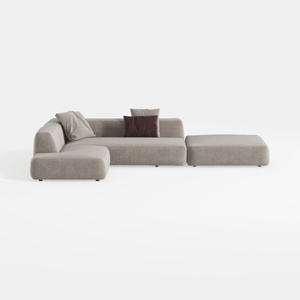
Minimalist Fabric L Shaped Sectional Sofa with Ottoman 3D Model

Modern Olive Green Velvet Loveseat Sofa with Metal Legs 3D Model
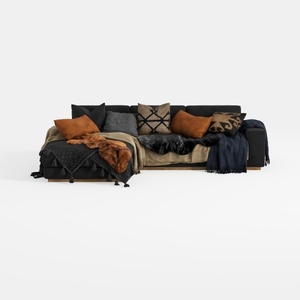
Modern Black Fabric Sectional Sofa with Decorative Throw Pillows and Blankets 3D Model
Homestyler is your go-to online platform for home design! With its user-friendly design tool, stunning 3D renderings, and a wealth of DIY video tutorials, you can effortlessly create and visualize your dream spaces. Transform your ideas into reality today!
Zaprojektuj teraz za darmo
































