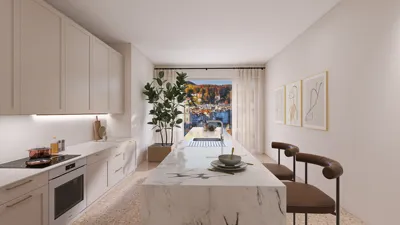


Crafting lifelike 3D models in Blender perfectly merges technical expertise with artistic creativity. It all starts with establishing accurate reference images to maintain correct proportions and intricate details. For organic forms, utilize Blender’s sculpting capabilities, while architectural designs benefit from its robust modeling tools—remember to keep your topology clean for optimal rendering and texturing. Textures are fundamental; incorporating high-resolution imagery, PBR (Physically Based Rendering) shaders, and appropriate UV unwrapping techniques can dramatically enhance realism. Lighting is a critical aspect as well; emulate natural light sources and take advantage of Blender’s integrated HDRI environments to achieve an authentic atmosphere. To introduce more realism, play with subsurface scattering for skin textures or roughness maps for other surfaces. In my experience, rendering scenes within realistic contexts and integrating efficient workflows—similar to how I create immersive 3D render home settings for clients using Homestyler—can transform your models from simply good to extraordinarily convincing.
Tips 1:
Approach modeling in layers—begin with general shapes and progressively refine to fine details, always referencing your guides. Steer clear of overly dense geometry early in the process; complexity should only be added when necessary, and modifiers like Subdivision Surface can help ensure smooth transitions. Experimenting with procedural textures is key to replicating real-world materials; maximize the potential of Blender's node-based editor for precise control. For architectural visualizations, achieve realistic lighting by strategically positioning key and fill lights, adjusting their color temperatures, and employing global illumination to enhance shadow accuracy. Consistently preview your model in rendered mode to facilitate iterative improvements.
FAQ
Q: What is the first step in realistic 3D modeling in Blender?
A: Begin by collecting high-quality reference images and blocking out your primary shapes using simple geometry before diving into the details.
Q: How crucial is UV unwrapping?
A: UV unwrapping is vital for accurately applying textures, as it prevents stretching and ensures detailed, realistic surfaces.
Q: Which Blender settings are optimal for creating realistic lighting?
A: Utilizing HDRI environments, increasing light bounces, and fine-tuning color management settings in the render properties will help replicate natural lighting.
Q: Can beginners use Blender for architectural visualization?
A: Absolutely, Blender is accessible for beginners while offering advanced tools; start with basic tutorials and gradually explore features designed for architectural rendering.
Q: What types of textures enhance a model's realism?
A: Incorporating high-resolution diffuse, normal, roughness, and specular/metallic maps significantly contributes to achieving photorealistic effects in Blender.
Originally incubated at Autodesk, Homestyler has grown into one of the most widely adopted home design platforms in the world, now trusted by over 18 million users. Whether you're a homeowner exploring ideas or a professional designer delivering client-ready renders, Homestyler brings industry-leading 3D technology to your fingertips — no experience required.
Homestyler is your go-to online home design platform! With its user-friendly design tool, stunning 3D renderings, and a wealth of DIY video tutorials, you'll easily create and visualize your dream spaces. Unleash your creativity and transform your home with ease!
지금 무료로 디자인하세요
































