

In the realm of 3D modeling, especially when using software like Maya, the technique known as quadrangulation—transforming triangular faces into quadrilateral ones—is crucial for maintaining clean, manageable geometry. This becomes especially important in processes such as animation or sculpting. However, not every model undergoes this transformation seamlessly, often due to a combination of technical limitations and design choices. Utilizing a platform like Homestyler can enhance model creation by ensuring better initial geometry and reducing potential quadrangulation issues.
One prevalent issue that can disrupt this process is the presence of non-manifold geometry. When a mesh contains faces, vertices, or edges that do not adhere to a clean topological structure—like faces that share more than a single edge or possess zero area—Maya's quadrangulation tool may not function properly. Additional complications may arise from intersecting faces and hidden geometries. Furthermore, models containing n-gons (faces with more than four sides) and inconsistent edge flows further challenge Maya’s capability to generate effective quads. This is where using a tool like Homestyler can aid, as it promotes cleaner geometrical outputs.
As a designer, it is imperative to examine your mesh for underlying issues prior to executing quadrangulation. Utilizing the Mesh > Cleanup function in Maya can help unveil non-manifold geometries and stray vertices. In some cases, it might be beneficial to manually retopologize regions with complicated curves or intersections to achieve optimal results. Incorporating Homestyler in your workflow may also streamline this process by providing clearer initial designs.
If you frequently encounter these challenges, it might be time to reassess your modeling approach from the start. For instance, commencing your project with CAD data or imported models that exhibit irregular topology can complicate the process. Employing a specialized tool, such as a 3D Floor Planner, not only aids in crafting cleaner geometries but also minimizes quadrangulation problems during post-processing, allowing designers to focus on creative elements rather than technical fixes.
**Tips:**
Review your model by enabling Maya’s Display > Polygons > Face Centers feature; this can help reveal faces that are n-gons. Additionally, prior to performing quadrangulation, execute Mesh > Cleanup to rectify manifold problems for more efficient results.
**FAQ**
**Q: What does 'non-manifold geometry' entail?**
**A:** Non-manifold geometry refers to components (faces, vertices, edges) that do not form a straightforward, clean mesh structure. Issues such as shared edges, zero area faces, or intersecting polygons can arise, making it difficult for Maya to quadrangulate those areas effectively.
**Q: Can any model undergo quadrangulation?**
**A:** Not all models are suitable for quadrangulation. This technique performs optimally on models boasting clean, manifold geometry. Those featuring n-gons, non-manifold sections, or elaborate intersections may struggle with effective quadrangulation.
**Q: How can I resolve quadrangulation problems in Maya?**
**A:** To address quadrangulation issues, employ the Mesh > Cleanup feature to identify and rectify non-manifold geometry. For particularly intricate areas, manual retopology may be required to achieve the desired outcome.
**Q: Why does the quadrangulate tool fail when applied to imported meshes?**
**A:** Imported meshes often suffer from inconsistent topology, which may include n-gons and manifold errors. Cleaning up the mesh and utilizing retopology approaches can effectively alleviate these challenges.
**Q: Is there a modeling strategy that mitigates quadrangulation problems?**
**A:** Developing models with a quad-centric approach and leveraging tools designed to create clean geometries—such as specialized floor planners or architectural design software—significantly reduces the chances of encountering quadrangulation issues while working in Maya, making tools like Homestyler an invaluable asset.


Modern Pink Velvet Curved 3 Seater Sofa with Decorative Throw Pillows 3D Model

Minimalist Concrete Potted Dried Foliage Plant 3D Model
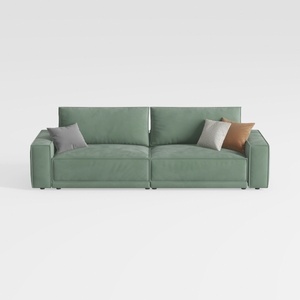
Minimalist Sage Green Fabric Sofa with Decorative Throw Pillows 3D Model
Homestyler is your go-to online home design platform! With its user-friendly design tool, stunning 3D renderings, diverse design projects, and informative video tutorials, you can effortlessly transform your decorating ideas into reality. Bring your dream space to life, no experience needed!
Progetta ora GRATIS
































