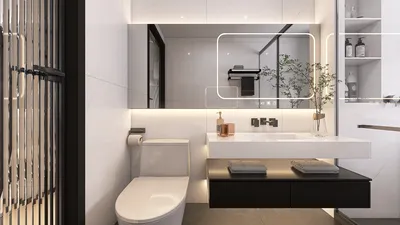


Are you fed up with dull and uninspiring interior design displays? Would you like to present your projects using breathtaking, lifelike visuals? If so, mastering 3D rendering is essential. In this article, we will explore valuable tips and techniques to help you create impressive 3D renderings for your interior design ventures.
Tip 1: Select the Appropriate Rendering Software
Numerous 3D rendering software solutions exist in the market, yet not all deliver equally. Homestyler offers a cutting-edge rendering engine tailored for interior design, enabling you to quickly and effortlessly produce high-quality, realistic visuals.
Tip 2: Proper Scene Setup is Key
Before diving into rendering, it's crucial to configure your scene correctly. This involves selecting the right camera angle, lighting, and materials. Homestyler features an extensive collection of furniture and decor models, simplifying the process of crafting a realistic scene with just a few clicks.
Tip 3: Employ Post-Processing Techniques
Post-processing can significantly enhance the final appearance of your renderings. Homestyler incorporates robust post-processing tools that allow you to fine-tune brightness, contrast, saturation, and other parameters to achieve your desired look.
Tip 4: Try Out Various Styles
Do not hesitate to explore different styles and methods to discover what suits your project best. Homestyler's AI-driven design features can assist you in experimenting with various design alternatives and igniting your creativity for your renderings.
Are you prepared to elevate your interior design projects? Explore Homestyler's advanced 3D rendering capabilities today and transform your design experience!

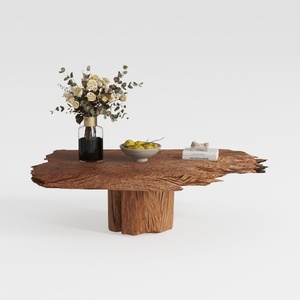
Modern Solid Wood Brass Accent Single Drawer Coffee Table 3D Model

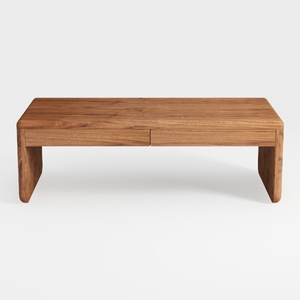
Minimalist Solid Wood Two Drawer Coffee Table 3D Model
Looking to transform your space? Homestyler is your go-to online home design platform! With its user-friendly design tool, stunning 3D renderings, an array of design projects, and helpful video tutorials, you can effortlessly bring your interior ideas to life—perfect for both beginners and pros alike!
Concevez maintenant gratuitement
































