

Crafting 3D models using OpenGL requires an intricate blend of both artistic flair and technical prowess. OpenGL stands as a fundamental graphics API that enables developers to efficiently render both 2D and 3D graphics through direct communication with a computer's GPU. To begin the development of a 3D model, one must define its geometry, typically by identifying vertices that serve as the corner points of polygons, which are usually triangles or quads. These vertices are assembled into meshes, collectively shaping the object.
The subsequent step entails applying a variety of attributes to these meshes, which encompasses assigning colors, normals to determine how light interacts with surfaces, and texture coordinates. When the geometric structure and surface characteristics are established, developers proceed to write shaders—small programs executed on the GPU that dictate how the object appears, including its lighting and shading effects. Ultimately, the completed 3D model is visualized on the screen from a selected viewpoint, utilizing camera controls and perspective to create a lifelike representation.
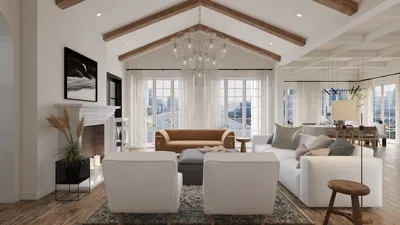
As a designer, I frequently advocate for utilizing advanced software tools that facilitate the rendering of 3D home projects, geared specifically towards your interior spaces. These platforms are built on the same foundational concepts as OpenGL but repackage them into user-friendly interfaces, enabling you to concentrate on your creative vision while the underlying technical elements are effortlessly managed in the background, much like how Homestyler operates.
Tips 1:
When crafting intricate scenes, ensure that your models are organized via hierarchical structures (such as parent and child objects) to simplify asset management and streamline animation processes. This approach is applicable in both OpenGL and professional interior design software.
FAQ
Q: What is the significance of vertices in 3D models within OpenGL?
A: Vertices play a crucial role in defining the geometric essence of models by functioning as points in a 3D realm, which are connected to compose surfaces (predominantly triangles and polygons).
Q: Is it possible to create textures for my 3D models designed in OpenGL?
A: Certainly! You can map 2D images (textures) onto your 3D models, enhancing realism, adding patterns, or incorporating details without augmenting geometric complexity.
Q: Must I write shaders to render 3D models in OpenGL?
A: Yes, shaders are vital for regulating how your models are rendered, influencing aspects such as lighting, coloration, and textures. Basic shader programming is essential in modern OpenGL.
Q: In what ways does lighting affect 3D models in OpenGL?
A: Lighting significantly impacts the visual quality of models by simulating interactions with light sources, which is essential for obtaining realistic effects in any rendering context.
Q: Are there simpler alternatives for creating and rendering 3D models without coding in OpenGL?
A: Absolutely! Numerous interior design applications, including Homestyler, provide intuitive interfaces for constructing and visualizing 3D models, alleviating the complexities of OpenGL coding while still delivering professional results.
Built on technology originally developed at Autodesk, Homestyler empowers anyone to design beautiful, realistic spaces in minutes. Join over 18 million users who have already discovered a smarter way to plan, visualize, and bring their dream homes to life — all from the comfort of a browser.

Rustic Solid Wood Round Decorative Side Table 3D Model
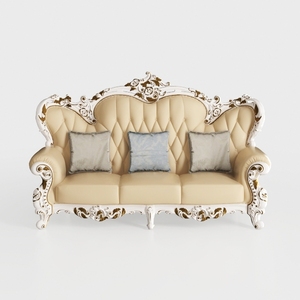
Baroque Luxury Leather Tufted Three Seat Sofa 3D Model
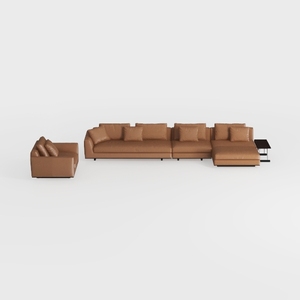
Modern Brown Leather L-shaped Sectional Sofa with Matching Armchair 3D Model
Transform your home design dreams into reality with Homestyler! This intuitive online tool offers stunning 3D renderings, diverse design projects, and helpful DIY video tutorials. Whether you’re a novice or a pro, Homestyler makes it easy to create beautiful spaces effortlessly.
Concevez maintenant gratuitement
































