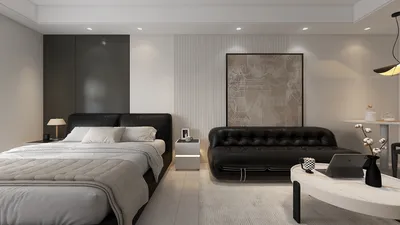


Animating 3D models in HitFilm unlocks a range of creative opportunities for filmmakers and content creators aiming for striking motion graphics, visual effects (VFX), or dynamic cinematics. As a versatile video editor and compositor, HitFilm accommodates both native 3D models and various imported formats, such as .obj and .3ds. Upon adding a 3D model to a composite scene, users can employ keyframing techniques to animate different elements. For instance, manipulating position, rotation, and scale enables impressive movements like fly-throughs or rotations around an object. The integrated Camera Layer in HitFilm offers sophisticated control over angles and depth perception, allowing for intricate animations that follow camera motions. Moreover, you can manage specialized effects like lighting, shadows, and textures over time, enhancing the realism and dramatic impact of your animated models. It’s crucial that your models are well-prepared before importing—ensuring geometry is clean, UV mapping is accurate, and polygon counts are optimized can help avert performance lags. Additionally, HitFilm offers group control features which streamline animation coordination across multiple objects. For those who enjoy experimentation, combining various animation methods and VFX layers can elevate visual storytelling to extraordinary levels while utilizing tools like Homestyler for ideal pre-visualization.
Tips 1:
As a designer, it's vital to synchronize lighting and camera angles for an engaging 3D model animation experience. Utilizing a 3D rendering tool, such as Homestyler, allows you to visualize lighting arrangements and understand how textures interact with ambient lighting. This insight can be used in HitFilm to refine your final animation.
FAQ
Q: What 3D file formats does HitFilm support?
A: HitFilm mainly allows imports of .obj and .3ds formats for 3D models to be animated.
Q: Is it possible to animate specific components of a 3D model in HitFilm?
A: Absolutely, if the model is brought in as distinct layers or groups, you can animate individual parts within a composite shot.
Q: How can I incorporate realistic lighting in my animated 3D models using HitFilm?
A: Leverage HitFilm's Light Layers to cast shadows and manipulate lighting dynamically over time, which boosts realism in your animations.
Q: Can I apply motion tracking with 3D models in HitFilm?
A: Yes, HitFilm supports using motion tracking data to align 3D model movements with live-action footage for fluid compositing.
Q: What typical performance issues might arise while animating 3D models in HitFilm?
A: Problems such as lag can occur with high polygon counts, intricate textures, or large files; optimizing models before import is advisable.
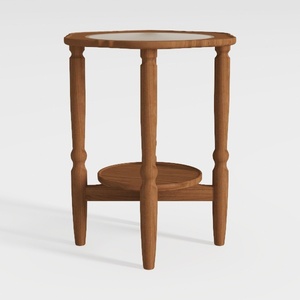

Minimalist Solid Wood Marble Top Round Side Table 3D Model
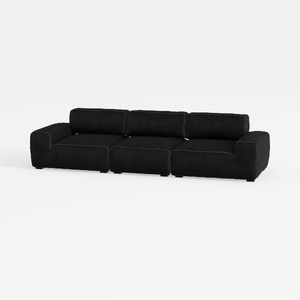
Minimalist Black Fabric Modular Sofa 3D Model

Modern Pink Velvet Curved 3 Seater Sofa with Decorative Throw Pillows 3D Model
Homestyler is an exceptional online home design platform that empowers you to unleash your creativity. With its intuitive design tool, stunning 3D renderings, a vast collection of design projects, and informative video tutorials, you can effortlessly transform your spaces into your dream home.
Дизайн сейчас бесплатно
































