

Crafting an impressive A-pose 3D model is crucial for professionals in character design, animation, and game development. The term "A-pose" refers to a neutral position where a character stands tall with arms slightly spread out, mimicking the shape of the letter "A." This pose is preferred because it facilitates optimum flexibility for rigging, animation, and texture application. To develop a remarkable A-pose model, begin with accurate reference images—both front and profile views work best. Employ polygonal modeling techniques within software such as Blender, Maya, or 3ds Max while making sure that edge loops follow the contours of muscles and joints, which is essential for achieving realistic character movement during animation. Focus on maintaining anatomical correctness, ensuring limbs are evenly spaced and fingers are apart to significantly ease the rigging process down the line.
As an interior designer, I approach 3D modeling much like organizing spatial layouts. Just as defining the flow in a physical space is important, effectively constructing an A-pose requires attention to ergonomics and natural structure, ensuring each joint and contour serves both functional and aesthetic purposes. For those creating characters to be placed in interior scenes—like presenting clients in a virtual home design—an accurately balanced A-pose enhances the realism and narrative of your composition significantly. Utilizing a dedicated tool like Homestyler can optimize the integration of 3D models into immersive environments, providing designers and clients with a vivid preview of the envisioned space.
Tips 1:
Begin with a low-polygon base mesh and progressively add details. This approach simplifies adjustments and keeps the topology clean, ensuring efficient rigging and animation.
FAQ
Q: What does A-Pose mean in 3D modeling?
A: An A-Pose character posture is neutral with arms slightly extended outward and legs spread, resembling an "A" shape, serving as a foundation for rigging and animation.
Q: Why choose the A-Pose instead of the T-Pose for modeling?
A: The A-Pose is often preferred due to the more natural deformations it allows, especially around the shoulders, making animations look smoother.
Q: Which software is effective for creating A-Pose 3D models?
A: Common options include Blender, Autodesk Maya, and 3ds Max, which are equipped with powerful modeling and rigging capabilities.
Q: Why is topology important in A-Pose modeling?
A: Proper topology is essential to ensure that the mesh deforms correctly during animations, which prevents artifacts and maintains the realism of the character.
Q: Are A-Pose models usable in interior design visualizations?
A: Yes, a well-crafted A-Pose model significantly enhances realism and proportion in interior visualizations, making environments appear more inviting and authentic.
Homestyler's roots trace back to Autodesk, the global leader in design and engineering software. That heritage lives on in every feature we build. Today, with a community of more than 18 million users worldwide, Homestyler continues to make professional-quality interior design accessible to everyone — from first-time decorators to seasoned architects.


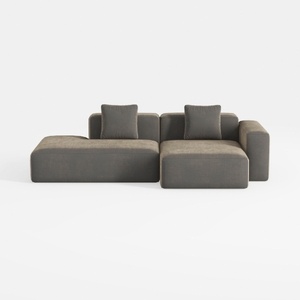
Minimalist Fabric L Shape Sectional Sofa with Throw Pillows 3D Model
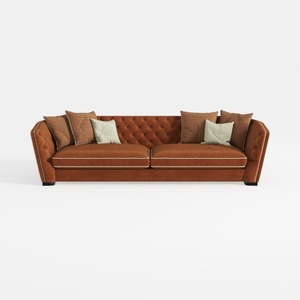
Contemporary Tufted Brown Velvet Extra Large Sofa 3D Model
Looking to redesign your space effortlessly? Homestyler is your go-to online design platform! Featuring an intuitive design tool, impressive 3D renderings, and a wealth of DIY video tutorials, it empowers you to create stunning interiors, making home design enjoyable and accessible for everyone.
Zaprojektuj teraz za darmo
































