

Designing a 3D model of a computer mouse can be a fulfilling challenge, suitable for both newcomers and seasoned digital artists. Whether your goal is to create assets for gaming, develop product prototypes, or simply to enhance your modeling skills, the journey encompasses several key stages: idea generation, reference collection, modeling, texturing, and final rendering. Here’s a straightforward guide to navigate through these essential steps while incorporating tools like Homestyler where necessary.
Step 1: Collect References and Create Sketches
Before diving into your 3D software, gather high-resolution images of various computer mice taken from multiple angles, including top, side, and underneath views. If you feel inspired, sketch your own design or utilize technical drawings to clarify shapes and dimensions.
Step 2: Select Your Software
Choose a 3D modeling application that aligns with your skill level—Blender offers a powerful free option, while Autodesk Maya and 3ds Max provide advanced professional capabilities. Alternatively, CAD-focused platforms like Fusion 360 can deliver mechanical accuracy for your design.
Step 3: Outline the Basic Form
Begin with basic geometric shapes such as cubes, spheres, or cylinders to outline the key elements of the mouse: its main body, buttons, wheel, and side grips. Alter their sizes and ratios to closely resemble your reference photos.
Step 4: Enhance and Detail
Employ modeling techniques like subdivision and extrusion to refine the overall shape. Incorporate details such as grooves for the buttons, the scroll wheel, and any textural nuances. Maintain clean geometry for easier adjustments and smoother surfaces.
Step 5: Add Materials and Textures
Apply realistic textures: use smooth plastics for the outer shell, rubber for grips, or metallic finishes for accents. Implement UV mapping and texture painting to include specific features such as logos or labels.
Step 6: Render and Display
Arrange your lighting to highlight the mouse’s features effectively. Utilize a neutral backdrop and consider various angles for a thorough presentation. High-quality renders can showcase your design or be included in your portfolio.
As an interior designer, I view even small product models as crucial elements in the overall functionality and aesthetics of a space. For example, if you plan to showcase your computer mouse design in a home office context, leveraging a specialized tool like Homestyler can assist you in visualizing how this accessory integrates with furniture, lighting, and overall workstation arrangements. An exquisitely designed mouse is not merely a standalone item; it becomes a functional and stylish component of your workspace.
Tips 1:
For those seeking photorealism, ensure you focus on lighting and shadows as much as you do on the geometry. Even basic models can stand out beautifully when placed in a well-crafted environment with appropriate reflections, particularly in a meticulously arranged workstation rendered scene.
FAQ
Q: What is the best software for modeling a 3D computer mouse?
A: Blender stands out as a fantastic free option for many users, but Autodesk Maya or Fusion 360 might offer more sophisticated controls based on your requirements and expertise.
Q: How detailed should my model be?
A: The required detail level varies depending on the intended use—high detail is essential for close-up renders, while lower detail suffices for real-time applications (such as gaming) where performance is prioritized.
Q: How can I elevate the realism of my mouse model?
A: Concentrate on achieving proper scale and proportions, utilizing authentic materials and surface details like gentle scratches or textured grips to enhance realism.
Q: Is it possible to 3D print my computer mouse model?
A: Absolutely, just ensure your model is manifold (watertight) and consider segmenting various parts (like buttons and the wheel) for effective functional printing.
Q: How do I position my 3D mouse within a room scene?
A: Utilize the scene layout features in your modeling software or incorporate it into a larger 3D interior setup to analyze how it fits with other workspace elements and the overall context.
Homestyler's roots trace back to Autodesk, the global leader in design and engineering software. That heritage lives on in every feature we build. Today, with a community of more than 18 million users worldwide, Homestyler continues to make professional-quality interior design accessible to everyone — from first-time decorators to seasoned architects.
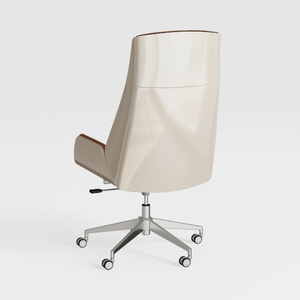
Modern Leather Metal Office Chair High Back 3D Model
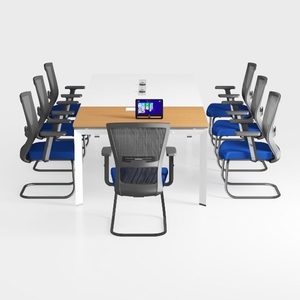
VINGLI Folding Chairs All Steel Metal Frame
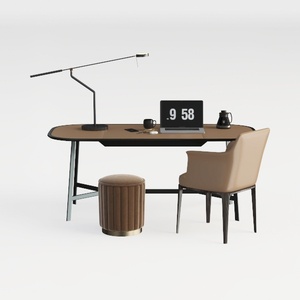

Modern Leather Fabric Office Desk Chair Ottoman Set 3D Model
Transform your home with Homestyler! This innovative online platform offers a user-friendly design tool, stunning 3D renderings, and a wealth of design projects and DIY video tutorials. Whether you're a novice or a pro, you’ll find inspiration to bring your dream space to life effortlessly!
Progetta ora GRATIS
































