


Building a 3D representation of the Eiffel Tower is an enriching endeavor, catering to students, enthusiasts, and even seasoned designers eager to gain practical experience with renowned architectural marvels. To embark on this creative journey, you will need comprehensive modeling software such as Blender, SketchUp, or if you're a novice, TinkerCAD can serve as a great starting point. Begin by gathering reference images or blueprints of the Eiffel Tower captured from numerous angles, as these resources will assist you in precisely rendering its iconic proportions and intricate details.
Initiate the project by constructing the foundation: Utilize the primitive shapes available in your modeling software—like cubes or cylinders—to outline the four primary legs and the bridging arches of the tower. Once you’re satisfied with the general proportions, start refining these forms by extruding, scaling, and adjusting edges to emulate the characteristic lattice design of the Eiffel Tower. Progressively add layers by incorporating platforms and cross-bracing to mirror the structure's unique design. For added intricacy, leverage the array or pattern functions of your software to efficiently generate repetitive elements such as beams and trusses. Remember to create voids and enhance the observation decks with railings and windows for a more realistic effect.
After completing the modeling stage, apply lifelike textures, which may include steel, paint, and delicate weathering effects. The lighting and rendering settings can significantly affect how the final model appears. As an interior designer, I always suggest integrating the surrounding environment into your model to provide scale and context, perhaps by incorporating a Parisian park or riverbank around the Eiffel Tower. This not only anchors your design but can also spark ideas for adding similar detailed complexities into your own 3D floor planner creations in Homestyler.
Tips 1:
Concentrate on mastering the foundational structural components before delving into detailed embellishments. Breaking down the Eiffel Tower into manageable sections (the base, legs, platforms, and the pinnacle) allows you to tackle design challenges one step at a time, much like zoning spaces in a multifunctional interior layout.
FAQ
Q: Which software is the most suitable for modeling the Eiffel Tower in 3D?
A: Both Blender and SketchUp are excellent choices for users ranging from beginners to experts. For straightforward, browser-based modeling, TinkerCAD is an intuitive and free option.
Q: Where can I find accurate dimensions for my model?
A: Look for Eiffel Tower blueprints or architectural schematics available online. Official tourism or architectural sites often provide comprehensive specifications.
Q: Is it essential to model every bolt and truss?
A: Not at all. For visual purposes, focus on representing the overall silhouette and the key structural components. Fine details can be reserved for close-up perspectives when needed.
Q: How do I create realistic textures for the Eiffel Tower?
A: Acquire high-resolution steel textures or craft your own by editing metallic materials within your modeling software. Adding a subtle weathering effect will enhance realism.
Q: Can I include a 3D model of the Eiffel Tower in my interior design presentation?
A: Absolutely! Including iconic architecture can enrich your designs by adding visual interest and contextual relevance—just ensure you have the necessary rights for public sharing.
Built on technology originally developed at Autodesk, Homestyler empowers anyone to design beautiful, realistic spaces in minutes. Join over 18 million users who have already discovered a smarter way to plan, visualize, and bring their dream homes to life — all from the comfort of a browser.
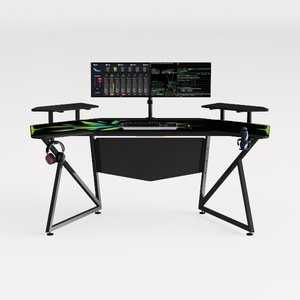

Modern Black Metal Carbon Fiber Gaming Desk 3D Model

Rustic Solid Oak Square Coffee Table with Geometric Inlay Pattern 3D Model

Minimalist Fluted Solid Wood Round Coffee Table 3D Model
Homestyler is an exceptional online home design platform that empowers you to create stunning spaces effortlessly. With its user-friendly design tool, impressive 3D rendering, diverse design projects, and informative DIY video tutorials, you can bring your dream home to life—no experience needed!
Design Now for FREE
































