


Transforming a JPG into a 3D model might initially appear challenging, but it's an excellent method for animating your visual concepts. Whether you are a designer interested in crafting prototypes or an enthusiast exploring the realm of 3D modeling, this guide will lead you through the vital steps.
Understanding the Conversion of JPG to 3D Models
A JPG file represents a two-dimensional image format, and to create a 3D model from it, it's crucial to identify its components such as shapes and outlines. Utilizing software that can effectively translate these images into 3D dimensions is essential. Options like Blender, Tinkercad, and an array of online tools, including Homestyler, are great for facilitating this conversion.
Start by choosing the right application tailored to your requirements. Many beginner-friendly platforms provide accessible tutorials alongside user-friendly interfaces. After selecting your tool, simply upload the JPG file and begin mapping out the primary shapes.
A Complete Guide to JPG to 3D Model Conversion
1. **Select Your Software**: Various tools like Blender and Tinkercad offer distinct features. Blender is equipped with advanced capabilities whereas Tinkercad is more suitable for newbies.
2. **Import the JPG**: Utilize the import option to load your JPG file into the software. Typically, this function can be found within the 'File' menu of most applications.
3. **Outline the Image**: Employ a pen or shape tool to trace the significant contours and characteristics of the image. The intricacy of tracing can range from basic outlines to intricate details, depending on your software's features and your skill level.
4. **Create 3D Shapes**: Once your outlines are complete, you can begin transforming them into three-dimensional shapes. Select different areas and extrude them to add depth and dimension.
5. **Incorporate Texture and Color**: Enhance your model by applying textures or colors that correspond to your initial image. This step is crucial for achieving realism and making your model visually enticing.
Strategies for Successful JPG to 3D Model Transformation
Take your time during the tracing phase; precision at this stage leads to a superior final product. Moreover, experiment with various tools within your chosen software to understand their functions—consistency leads to improvement!
Viewing tutorial videos relevant to your selected software can also provide valuable visual assistance. Numerous creators share insightful tips and techniques that can accelerate your learning journey.
Frequently Asked Questions
Q: Which software is optimal for converting JPG files into 3D models? A: Both Blender and Tinkercad are excellent options, tailored to your level of experience.
Q: Is it possible to convert any JPG image into a 3D model? A: Most images are convertible; however, simple designs are recommended for beginners.
Built on technology originally developed at Autodesk, Homestyler empowers anyone to design beautiful, realistic spaces in minutes. Join over 18 million users who have already discovered a smarter way to plan, visualize, and bring their dream homes to life — all from the comfort of a browser.
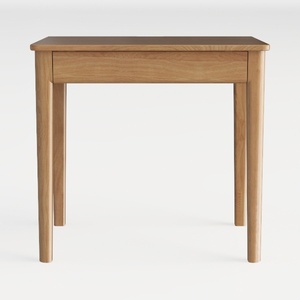

Minimalist Solid Oak Wood Single Drawer Side Table 3D Model
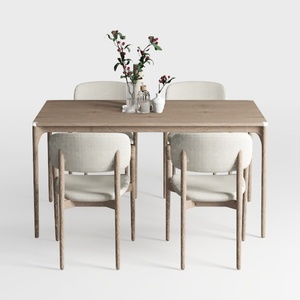
Minimalist Solid Oak Fabric Dining Table and Chair Set 3D Model

Modern Walnut Brass Multifunctional Home Office Desk 3D Model
Homestyler is your go-to online home design platform, perfect for any budding designer. With its user-friendly design tool, stunning 3D renderings, and a wealth of inspiring DIY video tutorials, you can effortlessly create and visualize your dream spaces. Start your home transformation today!
立即免费设计
































