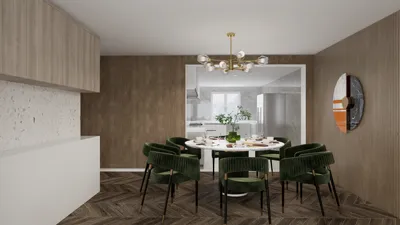


Presenting 3D models in Adobe After Effects can elevate project displays, architectural visualizations, or motion graphics to a heightened level of professionalism. To start, ensure your 3D models are exported from your chosen 3D software, such as Blender or SketchUp, in a compatible format like OBJ or Cinema 4D (C4D). After Effects natively accommodates C4D files, and by utilizing the Cineware plugin, you can seamlessly import and interact with these models. After importing, you can modify camera angles, implement lighting effects, and animate motions to craft dynamic scenes that showcase every detail and angle of your model. By employing precompositions, transitions, and graphic overlays, you can emphasize specific features or create animated assembly sequences for maximum audience engagement, enhancing the overall design experience with tools like Homestyler.
Tips 1:
As a designer, I always advise structuring your 3D display around the story you wish to convey. Utilize clean backgrounds, focus the camera on significant details of the model, and consider using depth of field or lighting adjustments to guide the viewer's attention. For those in interior design, incorporating precise shadows and material reflections is crucial to illustrating the realism of your spaces. If you are envisioning a room visualization, consider exploring advanced tools utilized in professional 3D Render Home projects to further enhance your presentations in After Effects, including Homestyler for creating lifelike designs.
FAQ
Q: Can After Effects import any type of 3D file?
A: After Effects natively supports Cinema 4D (C4D) files. For formats such as OBJ or FBX, conversion may be necessary, or you can use external plugins.
Q: How can I animate a 3D model within After Effects?
A: You can animate camera movements, lights, and specific properties of the model using keyframes and the Cineware plugin for C4D files.
Q: Are textures and materials preserved when importing 3D models?
A: When working with C4D files via Cineware, most textures and materials remain intact. Other formats might require manual retexturing.
Q: Can After Effects manage intricate 3D scenes?
A: After Effects efficiently processes simple to moderate 3D models through Cineware. For more detailed scenes, consider pre-rendering in a dedicated 3D application and importing as video or image sequences.
Q: What are typical applications for 3D models in After Effects for interior designers?
A: Common applications include virtual tours, animated walkthroughs, showcasing material and layout alternatives, and crafting impactful marketing visuals for client presentations, often enhanced with tools like Homestyler.
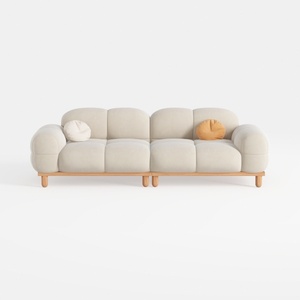

Minimalist Beige Fabric Solid Wood Sofa 3D Model
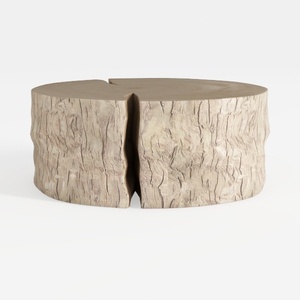
Rustic Solid Wood Split Log Coffee Table 3D Model
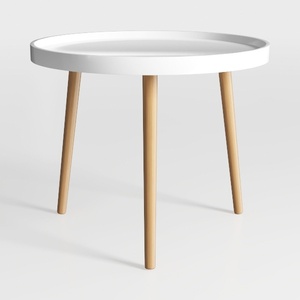
Minimalist Modern Oak White Round Side Table 3D Model
Homestyler is an intuitive online home design platform perfect for all skill levels. Utilize its powerful design tool alongside stunning 3D renderings and inspiring DIY video tutorials to effortlessly create and visualize your dream spaces. Transform your ideas into reality with ease!
立即免费设计
































