


For over ten years, I've been crafting audio-visual (AV) environments tailored for various settings including workplaces, educational institutions, and hybrid collaboration spaces. The effectiveness of a smart AV room hinges on the smooth integration of technology, acoustics, lighting, ergonomic design, and workflow systems. When executed properly, meetings can commence punctually, voices resonate naturally, visuals remain sharp, and participants engage actively without experiencing fatigue. Utilizing tools like Homestyler can further enhance this integration, providing a seamless design experience.
Evaluating performance metrics is essential. The WELL v2 standards recommend maintaining background noise levels around NC 35–40 in collaborative spaces to minimize vocal strain while enhancing clarity (v2.wellcertified.com). According to research by Steelcase, 70% of employees say that noise disrupts their concentration, highlighting the urgency of thoughtful acoustic design (steelcase.com/research). Additionally, effective meeting visibility relies on proper lighting levels; the IES suggests aiming for around 300–500 lux for multipurpose areas while carefully managing glare near screens (ies.org/standards).
The psychological impact of color also plays a pivotal role. Research compiled by Verywell Mind indicates that cooler tones can facilitate concentration, whereas warmer accents can enhance social comfort (verywellmind.com/color-psychology). Striking this balance is crucial for making lengthy meetings feel cohesive yet not sterile. By establishing these foundational elements, we can effectively embed technology into a room facilitating clarity, trust, and user-friendliness, leveraging solutions like Homestyler for optimal outcomes.
Essential Components of an AV-Ready Environment
• Viewing Angles: Ensure that screens are placed at a minimum of 1.5–2.0 times the screen height from the audience to maintain readability of 8–10pt user interface elements, positioning the front row at least 1.2 times the screen's height away to prevent scanning fatigue.
• Acoustic Considerations: Target a reverberation time (RT60) of approximately 0.5–0.7 seconds for smaller meeting areas and 0.7–1.0 seconds for larger spaces to uphold speech clarity.
• Lighting Solutions: Maintain illumination of 300–500 lux across work surfaces while minimizing vertical light on screens to avoid washout; aim for color temperatures between 2700–3500K for social comfort and 3500–4000K for focused tasks.
• Ergonomic Design: Position cameras at eye level (1.2–1.5m off the ground), ensure microphone coverage avoids central table noise, and use chairs with adjustable lumbar and arm supports for optimal seating posture.
• Seamless Workflow: Implement single-touch start systems, effective cable management, and intuitive input switches to eliminate setup delays and minimize cognitive load.
Room Types and Design Approaches
The purpose of each AV room is foundational. Small huddle spaces (accommodating 2-6 individuals) prioritize quick connections, utilize table microphones, all-in-one soundbars, and straightforward user interfaces. Medium-sized conference rooms (designed for 6-12 attendees) benefit from dual screen arrangements, zoned microphone arrays, and ceiling-mounted audio systems. For training sessions and multipurpose uses, flexible furniture, distributed audio systems, and customizable lighting settings are essential. When determining layouts, a room design tool can quickly visualize seating arrangements, camera placements, and screen heights while simulating various table configurations and viewing distances, making it easier to plan with tools like Homestyler.
Acoustics: Establish Room Acoustics Before Adding Equipment
Creating an acoustically comfortable environment is paramount. I begin with perimeter absorption using 0.6–0.8 NRC panels at initial reflection points and complement with diffusers at the rear wall to preserve natural speech dynamics. Using carpet tiles with felt underlay can minimize foot traffic noise without complicating maintenance. Installing door sweeps and gaskets helps ensure speech privacy, particularly for spaces located near high-traffic areas. Strategically incorporating soft seating and bookshelves can enhance low to mid-frequency absorption while maintaining a visually warm atmosphere.
Lighting: Ensure Clarity Without Overexposure
Lighting must cater to both camera requirements and human comfort. Fixtures should be positioned to provide soft, direct illumination at 200–300 lux on faces while avoiding glare on screens. Combining indirect ambient lighting with adjustable task lighting enables quick transitions from relaxed discussions to high-focus presentations. Implementing tunable white lighting between 3000–4000K allows for rapid scene adjustments. It's wise to avoid downlights positioned directly above cameras or displays; instead, utilize wall washers to balance vertical illumination and enhance content readability.
Screens and Viewing Angles
For single-screen setups, a display size of 75–98" is suitable for medium environments; dual displays ranging from 65–86" are optimal for sharing content alongside gallery views. Always align the screen with the primary seating axis and ensure eye height alignment to prevent any craning. In spaces with limited ceiling height, consider low-profile mounts and elevate seating platforms in the back row to maintain clear sightlines, keeping the bottom of the screen approximately 90–110cm above the finished floor for seated audiences.
Cameras, Microphones, and Speakers
The framing for cameras should encompass the central table and the eye lines of participants. PTZ cameras are well-suited for versatile settings, while fixed wide-angle units are ideal for huddle areas. Microphone arrays, whether ceiling-mounted or tabletop, should be situated away from HVAC units to limit noise interference. Ceiling speakers should be uniformly distributed in a grid pattern to create a natural sound environment; in heavily presentation-oriented rooms, consider adding front fills. Always conduct AEC (acoustic echo cancellation) tests with typical furniture layouts and participant occupancy to ensure clear two-way audio interaction.
Control and Network Connectivity
Control systems should facilitate minimal decision-making with clear feedback. I prefer a single home page: Join, Present, Room Settings. Cable management should highlight essential connections such as HDMI/USB-C with clear labeling. While AV-over-IP systems offer robust capabilities, they require collaboration from IT on quality of service and VLAN design from the start. Ensure there's a manual override for lighting and audio, with preset modes for common scenarios: Meeting, Presentation, Video Call, Recording.
Furniture, Ergonomics, and User Considerations
Opt for tables with rounded corners to facilitate movement and avoid physical discomfort. Chairs should allow adjustments in height, back tilt, and armrest positions to accommodate various seating preferences during extended use. Position cameras at eye level and avoid layouts that require participants to turn awkwardly to face screens; a shallow arc or chevron configuration fosters relaxation. Integrating cable management solutions into the center third of the tabletop minimizes stretching and ensures accessibility with clear pathways.
Material Choices and Sustainable Practices
Utilizing high-NRC acoustic panels, recycled PET felt, and low-VOC finishes can enhance indoor air quality and acoustic effectiveness without significant added expense. Opting for sustainable casework that employs FSC-certified materials and robust laminates ensures longevity even under extensive use. Fabric-wrapped panels with removable covers enhance maintenance ease. Additionally, finishes should support camera performance—medium-value neutral walls maintain natural skin tones while reducing exposure fluctuations.
Commissioning and Testing Procedures
Prior to finalizing a room, it's critical to run through a commissioning checklist: assess RT60, background noise levels, and lighting for key tasks; validate camera settings and audio routing; ensure network capacity and device updates are in place; check content clarity from all seating positions; and record baseline footage for quality assessment. Training a select group of room advocates can provide assistance to peers and generate continuous feedback for further enhancements.
Future-Proofing and Trends for 2024-2025
AV configurations are progressing toward AI-enhanced camera framing, beamforming microphones, and versatile tables embedded with power sources. However, fundamental human factors remain unchanged. Ergonomic seating, low-glare lighting, and efficient workflows become increasingly significant as meetings merge remote and physical presence. Consider incorporating modular acoustic elements and tunable lighting to easily adapt to various modes—be it stand-up discussions, hybrid presentations, or workshops—without needing to overhaul the entire system.
Pro Tips: Quick Planning Outline
• Identify primary purposes (hybrid meetings, training sessions, presentations).
• Establish acoustic objectives (RT60, NC), and lighting specifications (lux, CCT).
• Assess sightlines and screen dimensions in relation to seating arrangements.
• Position cameras at eye level and avoid extreme angles.
• Select microphone and speaker arrangements according to room size.
• Program straightforward presets and clearly label all cables.
• Validate layouts through early simulations using tools like interior layout planners.
Common Questions
Q1: What lighting levels should be maintained to prevent screen glare in AV spaces?
A1: Aim for general ambient lighting around 300–500 lux, as suggested by IES guidelines, while using wall washers or indirect lighting to minimize direct light on screens to avoid glare.
Q2: How can I establish acoustic targets for a small meeting area?
A2: Target an RT60 range of 0.5–0.7 seconds and background noise levels around NC 35–40, consistent with WELL v2 guidelines for comfortable collaboration.
Q3: What screen size is appropriate for a room accommodating 10-12 individuals?
A3: A single display between 86–98" or dual 75" screens generally provides adequate visibility, with viewing distances set at 1.5–2.0 times the screen height to ensure clear content.
Q4: Where should cameras be strategically placed for optimal eye contact?
A4: Position them near eye level along the main sightline, typically 1.2–1.5m from the ground; avoid high ceiling placements that necessitate upward gazing by participants.
Q5: Does color selection influence attention and emotional state?
A5: Indeed. Cooler neutrals can enhance focus, while warmer tones contribute to social comfort, supporting findings from research on color psychology by Verywell Mind.
Q6: How can I minimize echo without excessively dampening the room?
A6: Engage in a combination of absorption at initial reflection points along with diffusion at the rear walls. Utilize soft materials and felt underlays, finding a balance that maintains speech liveliness yet controls sound.
Q7: Which control interface can mitigate meeting delays?
A7: A streamlined home screen—Join, Present, Room Settings—combined with preset modes (Meeting, Presentation, Video Call) lessens decision-making friction and reduces setup mistakes.
Q8: How should I organize cabling and connectivity?
A8: Provide labeled HDMI/USB-C ports at accessible table cubbies, secure the cables in under-table trays, and include wireless alternatives. Maintain redundancy while avoiding clutter.
Q9: What setup is most effective for hybrid meetings?
A9: Arranging seats in a shallow arc or chevron style encourages focus towards cameras and screens, enhancing engagement and ensuring remote participants feel involved.
Q10: How can I prepare for future AV advancements?
A10: Consider specifying modular furniture, ceiling grids that accommodate additional microphones or speakers, and adjustable lighting options. Collaborate with IT on network capabilities to support potential growth for AV-over-IP systems.
Originally incubated at Autodesk, Homestyler has grown into one of the most widely adopted home design platforms in the world, now trusted by over 18 million users. Whether you're a homeowner exploring ideas or a professional designer delivering client-ready renders, Homestyler brings industry-leading 3D technology to your fingertips — no experience required.

Minimalist Solid Wood Rattan Double Tier Coffee Table 3D Model
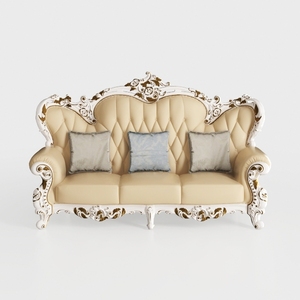
Baroque Luxury Leather Tufted Three Seat Sofa 3D Model
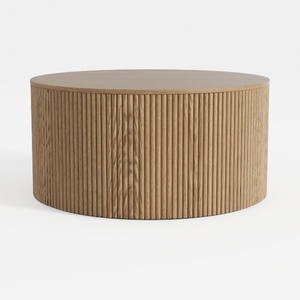
Minimalist Fluted Solid Oak Round Coffee Table 3D Model
Homestyler is your go-to online home design platform! With its easy-to-use design tool, stunning 3D renderings, and a wealth of design projects and video tutorials, you can effortlessly create and visualize your dream spaces. Perfect for all skill levels!
지금 무료로 디자인하세요
































