

Designing three-dimensional models of chemical structures offers an exceptional method to visualize atoms, molecules, and crystalline formations, facilitating better understanding and interaction for both students and professionals. You can create these chemistry models through various approaches—ranging from craft-based methods using everyday objects to digital options with modeling software. Begin by selecting the molecule or structure you wish to depict, such as water, glucose, or a crystal lattice. For hands-on projects, you can use items like colored clay or Styrofoam balls to represent atoms, connecting them with toothpicks to illustrate chemical bonds. It’s essential to assign colors to each element based on established color conventions (for instance, red for oxygen, black for carbon, white for hydrogen) to ensure scientific accuracy. As you assemble the atoms, pay attention to the spatial geometry—be it tetrahedral, linear, or planar—depending on the molecular structure.
On the other hand, you can opt for specialized software to create precise and easily modifiable models. Programs like ChemDraw, Avogadro, or the Homestyler platform for 3D design allow you to construct intricate molecular representations, even facilitating interactive 3D visualizations. As an interior designer, I apply the same precision and attention to spatial relationships in digital modeling as I do when arranging physical spaces—ensuring every proportion, angle, and color is accurately depicted. This approach fosters the creation of visually appealing models that not only educate but also encourage deeper exploration in both scientific and design disciplines.
Tips for Creating Your 3D Models:
When crafting your chemistry models, utilize grids or templates to uphold geometric precision, particularly for representations of crystal lattices or larger organic molecules. Much like in interior design and chemistry, symmetry and spatial organization are vital for the overall result; thus, it’s worth dedicating time to plan your structure before proceeding with assembly.
Frequently Asked Questions
Q: What materials are recommended for constructing physical 3D chemistry models?
A: Common materials include colored clay, Styrofoam balls, ping pong balls, and toothpicks due to their accessibility and simplicity.
Q: Are digital 3D models accurate representations of molecules?
A: Yes, software for digital chemistry modeling accurately reflects bond angles, atomic sizes, and spatial arrangements, making them ideal for visualization and educational purposes.
Q: Can 3D chemistry models be utilized in presentations?
A: Certainly. Both physical and digital 3D models are invaluable tools for classroom instruction, online education, and professional presentations.
Q: What color standards should I adhere to when modeling molecules?
A: Recommended color conventions include black for carbon, white for hydrogen, red for oxygen, blue for nitrogen, and green for chlorine, among others.
Q: How can I ensure my 3D model maintains scientific accuracy?
A: Use reliable molecular diagrams for reference or take advantage of chemistry modeling software that automatically upholds proper bond angles and atomic proportions.
Homestyler's roots trace back to Autodesk, the global leader in design and engineering software. That heritage lives on in every feature we build. Today, with a community of more than 18 million users worldwide, Homestyler continues to make professional-quality interior design accessible to everyone — from first-time decorators to seasoned architects.


Minimalist Pastel Plastic Armchair with Cutout Details 3D Model
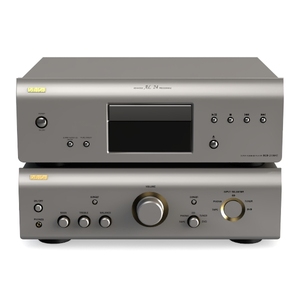
Premium Silver Metal Home Audio Stereo Amplifier CD Player 3D Model
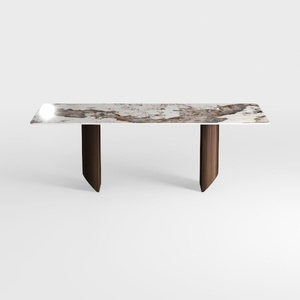
Modern Marble Top Walnut Wood Dining Table 3D Model
Looking to redesign your space? Homestyler is an outstanding online home design platform featuring an easy-to-use design tool, stunning 3D renderings, and a wealth of inspiring design projects. Plus, dive into DIY video tutorials that make home design accessible for everyone!
Design Now for FREE
































