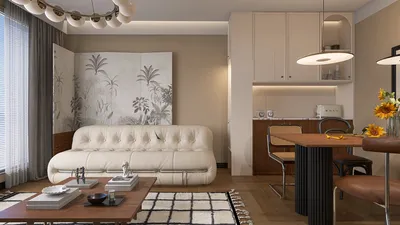


Designing a 3D room model might be simpler than you expect, particularly when equipped with the right tools and advice. Whether you’re just starting or are a seasoned designer, this article will assist you in maneuvering through the design process effectively.
To begin, it's crucial to identify the purpose of your space. What will you use it for? Make a comprehensive list of all the elements you wish to incorporate, from furniture to decorative items. Understanding your room’s function greatly simplifies the overall design process!
Next, select software that aligns with your proficiency level. Platforms like Homestyler are ideal for novices, providing user-friendly interfaces and numerous resources to jumpstart your design journey.
Step 1: Installing Your Software
After choosing your software, download and install it. Launch the application and begin a new project by selecting the '3D Room' option. Most applications will give you the choice of using a template or starting from scratch. Regardless of your choice, keep a clear idea of your room’s layout in mind.
Step 2: Creating the Layout
Start mapping out the room using the dimensions you’ve collected. Enter the width, length, and height to achieve accurate proportions. You may also customize the wall colors and textures to align with your preferred aesthetic.
Step 3: Incorporating Furniture and Decorations
With the room framework established, begin adding furniture. Utilize the library of items within the software to drag and drop pieces into your design. Ensure they are scaled correctly to fit the area. Also, consider lighting elements—both natural and artificial—as they can significantly enhance your room's atmosphere.
Step 4: Refining Your Model
Once your furniture is arranged, take a moment to step back and evaluate the room's flow. Is it overly cluttered? Do the colors work well together? Make any necessary changes to improve the design. Utilize the visualization tools within Homestyler to view your room in 3D, allowing for real-time modifications.
Step 5: Rendering and Exhibiting Your Model
When you’re satisfied with your design, employ the rendering feature to generate realistic images of your room. This is an excellent way to see how all the elements harmonize. After rendering, you can share your creation with friends or clients to receive their feedback!
FAQ
Q: Which is the best software for creating a 3D room model? A: The ideal software depends on your skill level; beginners might find platforms like Homestyler to be the most accessible.
Q: Is it possible to design a 3D room model on a tablet? A: Absolutely! Numerous design applications are available for tablets, enabling you to create 3D room models wherever you are.
Q: Must I be an expert to build a 3D model? A: Not at all! With user-friendly software and this guide, even those new to design can craft impressive models.
Tip 1:
To elevate your 3D room modeling experience, think about exploring additional functionalities within your chosen software, including augmented reality (AR) features. These enhancements help visualize your designs in real-world environments and facilitate interactive feedback.
Homestyler's roots trace back to Autodesk, the global leader in design and engineering software. That heritage lives on in every feature we build. Today, with a community of more than 18 million users worldwide, Homestyler continues to make professional-quality interior design accessible to everyone — from first-time decorators to seasoned architects.

Minimalist Light Gray Fabric L-shaped Sectional Sofa 3D Model
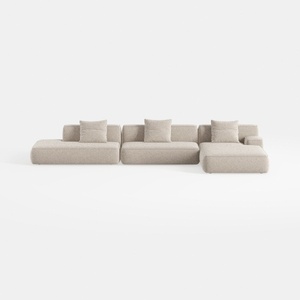
Minimalist Boucle Fabric L Shaped Sectional Sofa 3D Model

Modern Rattan Fabric Outdoor Sectional Sofa with Coffee Table 3D Model
Homestyler is an exceptional online home design platform ideal for all skill levels. With its user-friendly design tool, stunning 3D renderings, a wealth of design projects, and informative DIY video tutorials, you can effortlessly transform your vision into reality. Start designing today!
Design jetzt kostenlos
































